Webflow CMS is one of the main reasons teams choose Webflow. It gives marketers a structured way to manage repeatable content while designers retain control over how that content appears on the site.
That matters because content is rarely static. Landing pages change, blog posts grow, case studies get added, and campaigns need new pages quickly. If your CMS slows those changes down, it becomes a bottleneck instead of a growth asset.
For teams that need a more scalable content system, our Webflow growth team can provide the structure and flexibility to keep publishing moving.
What Is Webflow CMS?
Webflow CMS is the content management system built into Webflow. It lets teams structure, manage, and publish dynamic content without giving up visual control over the website's layout and design.
In practical terms, Webflow CMS sits between a traditional CMS and a visual website builder. Marketers can update content, while designers control the templates, components, and presentation. For example, Collections are a way to manage structured content like articles, products, testimonials, team directories, and other repeatable content types.
Webflow CMS uses two main content types:
- Static pages, which are designed individually for one-off experiences -. the homepage, About page, services, or contact page.
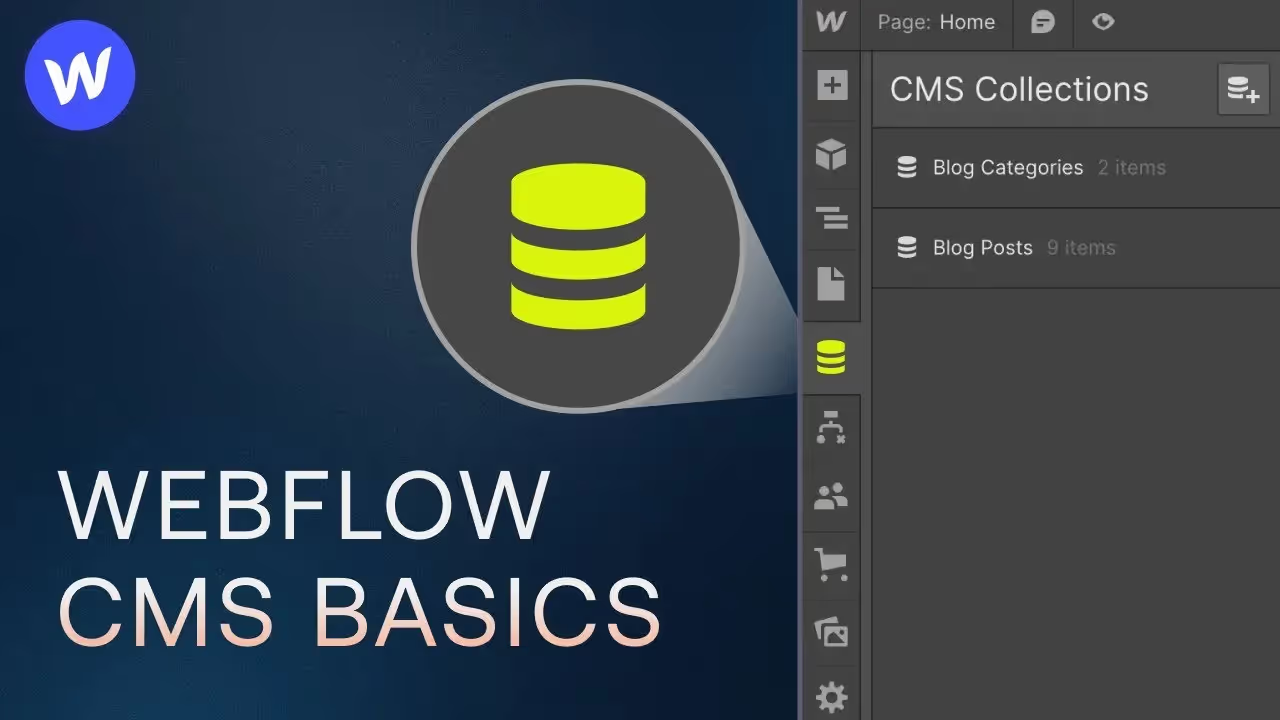
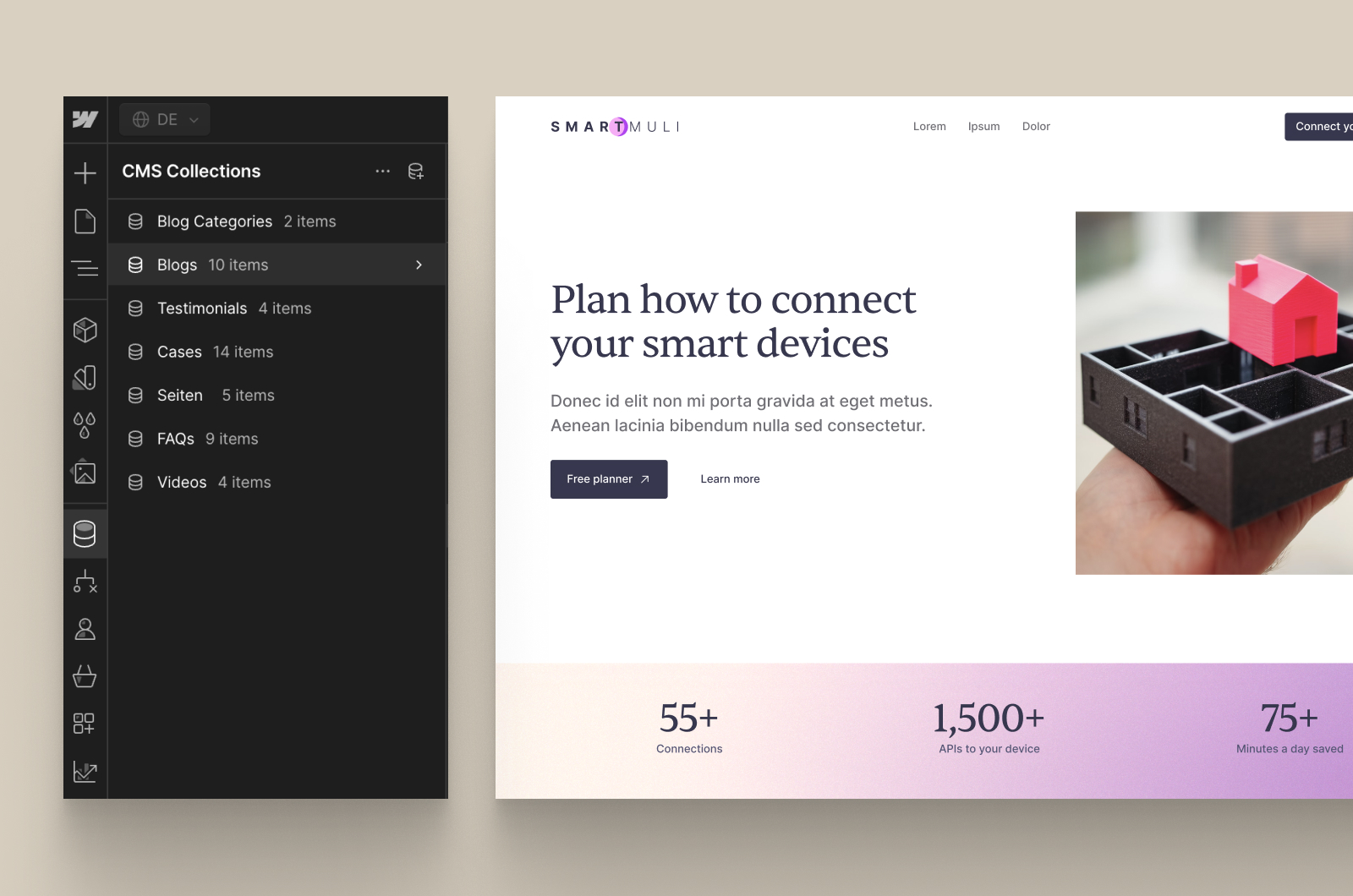
- CMS Collections, which store repeatable content - blog posts, case studies, team members, resources, products, events, or locations.
The short answer to "Is Webflow a CMS?" is yes. To be more accurate, Webflow is a visual website builder with a built-in CMS, hosting, design system, and publishing workflow. It's not a headless CMS (Contentful, Strapi, etc) by default, although Webflow also provides APIs and integrations for teams that need to connect CMS content to other systems.
The real benefit is not only in storing content. It's designing a structure once, connecting content to that structure, and publishing new items without rebuilding every page manually.
How Webflow CMS Works
Pages vs. CMS Collections
Webflow separates content into static pages and CMS Collections. Static pages are built independently, while CMS Collections are built around repeatable content structures.
A static page is best for a one-off page like homepage, About page, service page, or contact page. These pages don't need to share the same template or content model.
A CMS Collection is better for content that follows a pattern. Every item in the Collection uses the same basic structure, which makes it easier to scale content without rebuilding each page from scratch.
How Collections Work
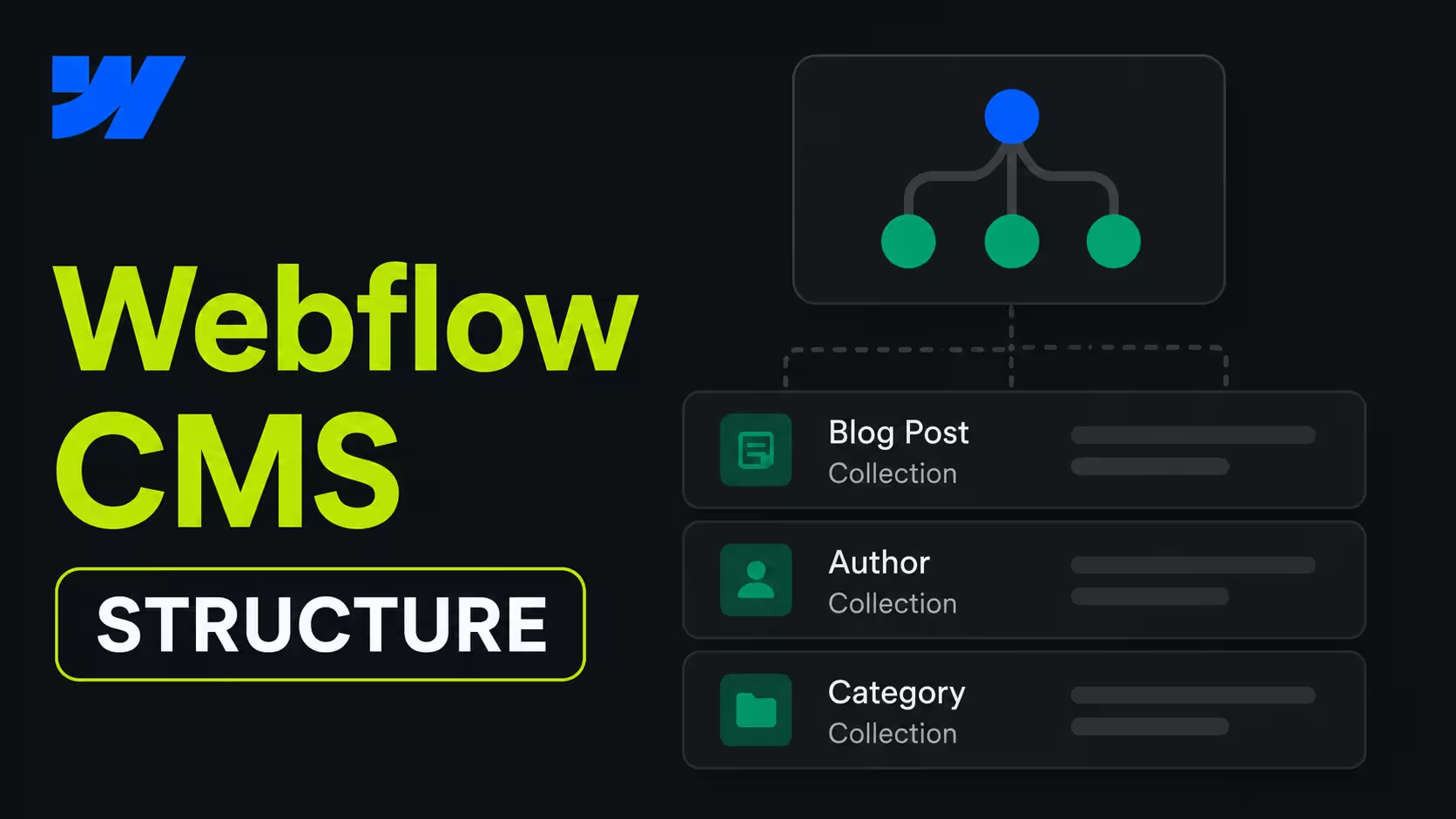
A Webflow CMS Collection works like a structured content database. You define the fields first, then create individual Collection items using those fields.
For example, a blog Collection usually includes:
- Title.
- Slug.
- Featured image.
- Author.
- Publication date.
- Topic.
- Rich text body.
- Meta title.
- Meta description.
- Related articles.
Each item can automatically generate its own page through a Collection template. That template controls how the content is displayed, so a design update made once can be reflected across every item.
This is why Webflow CMS works well for marketing teams. It creates consistency without removing flexibility, and it makes content updates much faster than editing pages one by one. Webflow's Collection pages are dynamic templates that generate a unique page for each Collection item.
Collection Page Templates
Every CMS Collection can have its own page template. The template is where the Collection item's content is output on the live site.
You can design one blog template, case study template, or product template and use it across many pages. This saves time and keeps the user experience consistent.
The trade-off is that templates are less flexible than fully custom pages. For structured content, that's usually an advantage. Templates create order, reduce accidental design variations, and make larger sites easier to manage.
Linking Fields to the Design
Once a Collection exists, you connect its fields to elements in the page template or Collection List.
A blog template might connect:
- The H1 to the title field.
- The author block to the author reference field.
- The featured image to the image field.
- The date to the date field.
- The article body to the rich text field.
- Related articles to a filtered Collection List.
Once those connections are in place, every new item automatically renders with the correct content. The CMS stores the data, while the template controls the presentation.
Live Editor Experience
Webflow also gives editors a visual way to manage content. Instead of working only through a traditional backend, users can edit content in a more front-end-oriented environment.
That makes it easier to understand how changes will look before publishing. For teams that need to move quickly, this reduces friction and lowers the risk of publishing content that looks wrong once live.
It also makes collaboration easier. Marketing teams, editors, and clients can work in a system that feels more visual and less technical than many traditional CMS setups.
Webflow CMS Features
Webflow CMS helps marketing teams structure repeatable content, reuse it across the site, and publish updates without rebuilding every page manually.
Collections and Dynamic Content
Collections store structured content like blog posts, case studies, products, resources, and team members. Collection Pages then use one template to automatically generate a page for every item, while Collection Lists display multiple items in grids, feeds, or related-content sections.
Fields and References
Fields define what each content type contains, including text, images, dates, files, options, and rich text. Reference fields connect related content - case study to a client or a blog post to an author, helping teams avoid duplicated information and content drift.
Components and Visual Control
Webflow's component system lets designers control layouts and approved variants while marketers update the content inside them. This gives teams publishing freedom without allowing every new page to become a one-off design.
That was central to our Instaffo project for example, where 120+ landing pages were brought into Webflow and turned into a self-serve component system. The marketing team could launch new pages independently while keeping the brand consistent.
Imports and Automation
CMS items can be added manually, imported through CSV, or updated through APIs and integrations.
For Bloomwell, we connected more than 850 products to an automated n8n sync. Prices, availability, and product status could update continuously instead of being maintained manually, saving an estimated 100+ hours per year.
SEO Fields
CMS fields can also support scalable SEO. Each item can have its own title, meta description, slug, image, author, category, and other page-level data.
The main benefit is simple: Webflow CMS gives marketing teams a repeatable system for publishing content quickly, consistently, and with less developer dependency.
Webflow CMS Fields
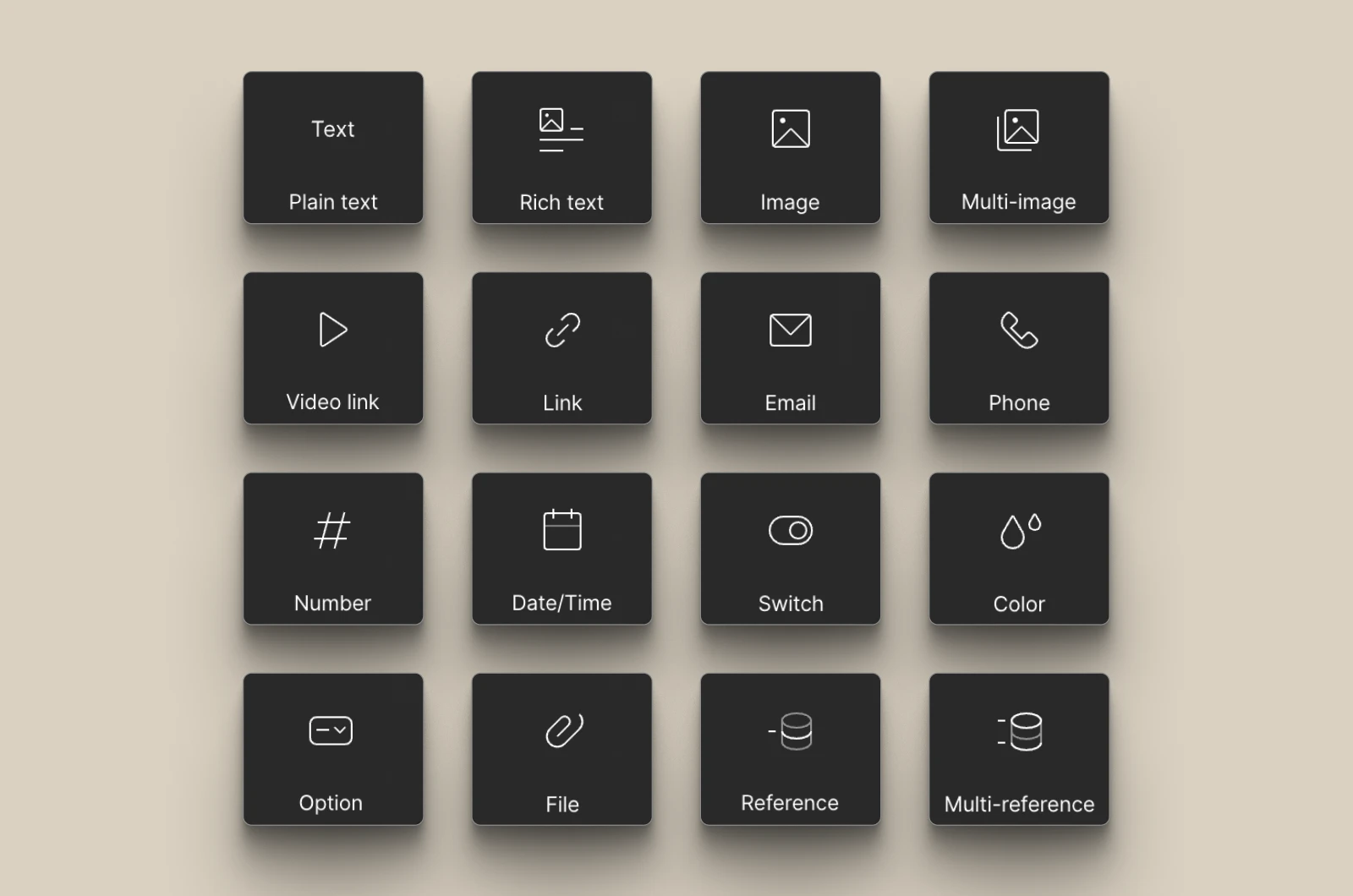
Webflow CMS gives you a flexible set of field types that let you build structured, scalable content without forcing everything into the same layout. The field you choose determines how content is stored, reused, and displayed, so this is one of the most important parts of building a clean CMS structure.
The most common Webflow CMS fields are:
- Plain text
Best for short content like titles, names, labels, short descriptions, or slugs. Use this when you need a clean single-line value with no formatting.
- Rich text
Best for formatted content - blog posts, long form pages, detailed descriptions, and editorial content. It supports headings, paragraphs, lists, links, bold and italic text, images, and videos, which makes it the most flexible content field in the CMS.
- Image
Best for featured images, thumbnails, team photos, product visuals, and any content where the visual asset is part of the page structure. It supports standard web image formats and works well with dynamic layouts.
- Multi-image
Best when one CMS item needs a gallery, image sequence, or multiple supporting visuals. This is useful for portfolios, case studies, product galleries, and any page that needs more than one image per item.
- Video link
Best for storing video URLs from platforms like YouTube, Vimeo or Vidzflow. It lets you embed video directly into collection templates without hardcoding each instance.
- Link field
Best for external URLs, landing pages, or internal destination links. Use it when the CMS item needs to point somewhere specific, like a resource, article, campaign page, or client website.
Best for valid email addresses in team profiles, contact directories, speaker pages, or registration-based content. It keeps structured contact data clean and consistent.
- Phone
Best for phone numbers in contact pages, directories, support listings, or profile records. It's useful whenever the CMS item needs a direct contact method.
- Number
Best for numeric data like prices, quantities, rankings, metrics, or any value that needs to be calculated or displayed consistently. This field is especially useful for data-driven content.
- Date/Time
Best for publish dates, event dates, launch dates, deadlines, and editorial planning. It supports both date-only and date-time use cases, so it works well for content that depends on timing.
- Switch
Best for simple on/off states, for example tags like featured, published, in stock, or highlighted. It's one of the easiest ways to control visibility or status inside a collection.
- Color
Best for storing HEX color values that can be reused dynamically across a design. This is useful for category colors, branded labels, campaign accents, or any CMS-driven visual system.
- Option
Best for predefined dropdown values where consistency matters. Use it for statuses, content types, categories, or any field that should only allow one selected value.
- File
Best for downloadable assets - most popular are PDFs, documents, spreadsheets, media files, or resource attachments. Useful for gated content, libraries, portfolios, or document heavy pages.
- Reference
Best for linking one CMS item to a single item in another collection. This creates a one-to-one relationship - it could be a blog post linked to one author or a product linked to one category.
- Multi-reference
Best for linking one CMS item to several items in another collection. This is ideal for tags, topic clusters, related content, or any content model that needs multiple connected relationships.
These field types matter because they let you build the CMS around how content actually works on the site. A blog, case study, resource hub, and team directory all need different structures, and Webflow gives you enough flexibility to model each one properly.
For example:
- A blog collection might use plain text, rich text, image, date, author reference, and tags.
- A case study might use title, client name, logo, quote, results, industry, and CTA fields.
- A resource library might use title, description, file, topic, format, and featured toggle.
That is what makes Webflow CMS useful as a source of truth. The fields don't just store content - they define how the content scales, connects, and performs across the site.
Webflow CMS Limits: What You Need to Know
Webflow CMS is flexible enough for most marketing websites, but it's not an unlimited database. Before starting a project, we check both the site plan and the way the content will be rendered, filtered, connected, and updated.
The current next-gen CMS supports up to 40 Collection Lists per page, 10 nested Collection Lists, 100 items per list, and three layers of CMS nesting. These limits are generous for standard blogs, resource hubs, case study libraries, and service websites, but they can become important when a page combines large datasets, complex relationships, or several dynamic sections.
On the Premium plan, a site includes up to 20,000 CMS items and 40 CMS Collections. Enterprise projects require a separate limits and architecture review.
The limits to check are:
The limits only become a concern when the project combines several sources of complexity. Before committing to a project, we assess:
- How many content types the site needs.
- How much content must appear on a single page.
- How deeply Collections need to be connected.
- How often external data needs to sync.
- How many locales need to be maintained.
- Whether the site needs frequent API-driven publishing.
This is most common for large product catalogues, high volume directories, multilingual platforms, multi-brand websites, marketplaces, and projects where Webflow is expected to operate as an application backend.
For a standard marketing website, blog, resource hub, case study library, or service website, these limits are rarely a blocker. The important work is choosing the right plan and validating the content model before the build begins.
Is Webflow CMS Good for Content-Heavy Websites?
Yes, Webflow CMS is good for many content-heavy marketing websites, especially when the content follows repeatable structures and needs to be presented through a controlled visual system.
It works particularly well for:
- Blogs and editorial libraries.
- Case study libraries.
- Resource centres.
- Product and service directories.
- Team and location pages.
- Event listings.
- Customer testimonials.
- Content-led B2B websites.
The next-generation CMS improvements make Webflow more suitable for structured, content-heavy pages because teams can use more Collection Lists, more nested lists, and deeper CMS relationships than before.
Webflow is a strong fit when content follows predictable page structures, marketers need to publish without developers, design consistency matters, and the site is primarily a marketing or publishing experience.
Consider another architecture (more open-source) when content must power websites, apps, products, screens, and other channels equally, or the site needs complex permissions or user accounts, or the CMS is being used as the backend for a full application, or the catalogue is approaching plan limits.
The question here is whether Webflow can support the way your team creates, reviews, connects, publishes, and updates that content.
Webflow CMS vs. WordPress vs. Contentful
Webflow, WordPress, and Contentful can all manage website content, but they are built around different operating models.
Webflow CMS vs WordPress
WordPress offers a much larger plugin ecosystem and more flexibility for certain complex use cases. It can be a strong choice when a team needs a highly customized stack, a broad publishing setup, or a specific plugin-based workflow.
Webflow is built around a visual design workflow, with hosting, updates, and maintenance handled inside the platform. That makes it easier to keep the site lean and reduces the need for ongoing plugin management.
If the goal is faster publishing, tighter design control, and less technical overhead, Webflow is usually the cleaner option. If the project depends on extensive plugins, custom backend behavior, or a large open-source ecosystem, WordPress may be more appropriate. For a broader breakdown of the trade-offs, check our Webflow vs WordPress comparison.
Webflow CMS vs Contentful
Webflow is an all-in-one visual website builder with a built-in CMS. Contentful is a headless CMS designed to manage structured content behind the scenes and deliver it to separate frontends through APIs.
Choose Webflow when you want to design and launch a website quickly, give marketing teams visual control, and manage content and presentation in one platform.
Choose Contentful when the same content needs to power several digital experiences, like a website, mobile app, product interface, digital display, or multiple regional frontends.
Contentful can be more flexible for complex multi-channel architectures, but it requires a separate frontend and more technical implementation. Webflow can be more efficient for a design-led marketing website because the CMS and presentation layer are connected.
Who Webflow CMS Is For
Webflow CMS is for marketing teams that need the website to do more than explain the business. It should support campaigns, product launches, SEO, content publishing, and conversion work without turning every change into a developer ticket.
The strongest fit is an established B2B SaaS or technology company with:
- A marketing team that needs to publish and test pages independently.
- An existing website that has become difficult to maintain or extend.
- Repeating content like resources, industries, integrations, case studies, or landing pages.
- A growing library of campaigns and pages that need to stay visually consistent.
- A need for cleaner CMS structure, better performance, and less technical overhead.
- A website that's becoming an important part of the pipeline, not just a brand asset.
The key distinction is between structure and content. Designers and developers establish the Collections, templates, components, and rules. Marketing teams then use that system to create, update, and publish content in context, without changing the underlying design.
Webflow CMS is the right fit if your team is asking:
- Can we launch a campaign without waiting for development?
- Can we create new pages without breaking the design system?
- Can we manage content centrally instead of duplicating it across pages?
- Can our website support SEO and content growth without becoming harder to maintain?
- Can several people publish confidently without learning a complex backend?
It's less suitable when the website is primarily an application backend, needs complex user accounts, depends on advanced ecommerce functionality, or requires the same content to power many unrelated products and frontends.
If your marketing team needs to publish and improve the website without waiting on developers, Webflow CMS should be the right fit. It gives the team a visual way to manage structured content, launch pages, and keep the website consistent as it grows.
Is Webflow CMS Worth It?
Yes, Webflow CMS is worth it - for marketing-led websites, the data clearly supports it. Forrester's Total Economic Impact™ study for Webflow found a 332% ROI over three years, payback in less than six months, more than $850,000 in cost savings, and up to 94% faster time to market for its composite organization.
At Designbase, we see the same value in practice. Crewmeister moved from a website without a CMS to a modular Webflow system with 47 components, helping the team launch and test pages independently. Conversion rates increased by 50% within six months.
Bloomwell shows the operational savings: more than 850 products were connected to an automated n8n sync, saving an estimated 100+ hours of manual work each year.
That's why Webflow CMS is worth it: it reduces the cost of everyday website work while giving marketing teams a faster way to publish, test, and improve the site. Custom development still has its place for integrations, automation, and advanced functionality, but Webflow provides the structured publishing foundation those systems can build around
FAQs
Yes. Webflow is a visual website builder with a built-in CMS. It uses Collections, fields, references, Collection Lists, and Collection Page templates to manage and publish structured content.
Webflow CMS is used to manage repeatable content like blog posts, case studies, resources, products, team members, events, locations, and testimonials. It lets teams create the structure once and publish new content without rebuilding every page manually.
Yes. Webflow CMS is worth it for marketing-led websites where faster publishing, design consistency, and lower maintenance effort matter. A Forrester study found a 332% ROI over three years for its composite organization, while Designbase projects have delivered results including a 50% conversion rate increase and more than 100 hours of annual manual work saved.
Webflow CMS supports up to 40 Collection Lists per page, 10 nested Collection Lists, 100 items per Collection List, and three layers of CMS nesting under the current next-generation CMS. Premium includes up to 20,000 CMS items and 40 CMS Collections. These limits are rarely a problem for standard marketing websites, but they should be reviewed for larger sites, directories, multilingual platforms, and highly automated systems.
Yes, when the content follows repeatable structures - articles, case studies, resources, products, events, or directories. Webflow CMS works especially well for marketing teams that need to publish frequently while keeping templates, components, and page layouts consistent. Larger application-style systems or multi-channel content platforms may need Webflow combined with custom development and external data sources.