
Webflow and WordPress can both power excellent business websites, but they are built around different operating models.
Webflow is usually the better fit for a marketing-led website when design control, publishing speed, and low maintenance matterhttps://www.designbase.studio/webflow-maintenance most. WordPress is usually the better fit when the website depends on complex content structures, user accounts, advanced ecommerce, or a large extension ecosystem.
The choice becomes more important as a business grows. A website is not only a collection of pages: it's a system that marketing, design, sales, content, developers, and external partners have to operate together.
This guide compares Webflow and WordPress across design, CMS flexibility, SEO, performance, security, maintenance, cost, scalability, governance, and migration risk. It also explains when an established business should stay with WordPress and when moving to Webflow can improve day-to-day marketing execution.
Personal Context: 15 Years of Experience - First WordPress, Today Webflow
I spent around 15 years working with WordPress before moving most business website work to Webflow. That doesn't make Webflow the right answer for every project. WordPress remains the stronger platform when a website needs complex publishing logic, memberships, advanced ecommerce, or deep infrastructure control.
What changed my preference for marketing websites was not that WordPress suddenly became a bad platform. It was that Webflow removed a lot of the friction between design, content, and publishing. Marketing teams could work inside a controlled design system, while developers no longer had to handle every routine page or content update.
That distinction matters more than "easy versus flexible" comparison. The real question is which platform helps the people responsible for the website do their work reliably after launch.
Why the Webflow vs. WordPress Comparison Is Relevant Right Now
The Typical Scenario: A Relaunch Because the Team Needs to Move Faster
In practice, the discussion often begins with a pain point. The existing website has grown organically over the years. Pages were added, content restructured, new product lines introduced. Eventually, the structure no longer feels coherent. Texts are hard to maintain in the backend, pages no longer look consistent, and every small change to the design feels tiring.
Then comes the moment for a new website project. A new positioning, a new pricing model, or a major feature update is pending. Suddenly, the marketing team needs to deliver faster. You need new solution pages, landing pages for campaigns, and fresh case stories. This is not a one-time project you "tick off" and forget about it, but an ongoing process.
Here, the CMS decides whether you are capable of acting. With WordPress, speed is possible. But often only if the setup, theme, and several extensions play together absolutely perfectly. Otherwise, with WordPress, a queue quickly forms towards the IT or engineering department.
A modern website builder like Webflow, on the other hand, is built so that marketing and design people can implement daily changes directly without relying on developers every time. It's precisely in this everyday situation that the choice between WordPress and Webflow is made.
What Is Meant by “Business Website Plus Content Hub”

To make the comparison fair, we must define what we are talking about. We are not talking about private blogs, nor are we talking about ecommerce giants. We are talking about the typical business website.
This consists of the classic corporate pages: Home, Product Pages, Pricing, Contact. These pages are structurally stable but essentially constantly in flux. Messaging, visuals, and claims are continuously optimized.
In addition, there is almost always a content hub today. Blog, use cases, case stories, resources, or events. The hub delivers SEO traffic, supports sales conversations, and feeds campaigns. The crucial factor is the integration.
A blog post must contribute to product pages. A case story ideally appears filtered on multiple solution pages. Your Content Management System must be able to do both: Static pages with high design standards (visual design) and a CMS that models data cleanly. This is exactly where Webflow vs. WordPress becomes practically relevant.
Webflow vs. WordPress: Who Wins in Which Scenario?
Both CMSs have their strengths in different areas. There's no blanket winner, only the right tool for your specific website project.
If you run a classic business website with a content hub, Webflow wins in most cases. The builder is fast in everyday use, keeps the design consistent and, unlike WordPress, reduces maintenance effort to a minimum.
This is ideal if your marketing team wants to continuously optimize pages or roll out campaigns and remain independent while doing so.
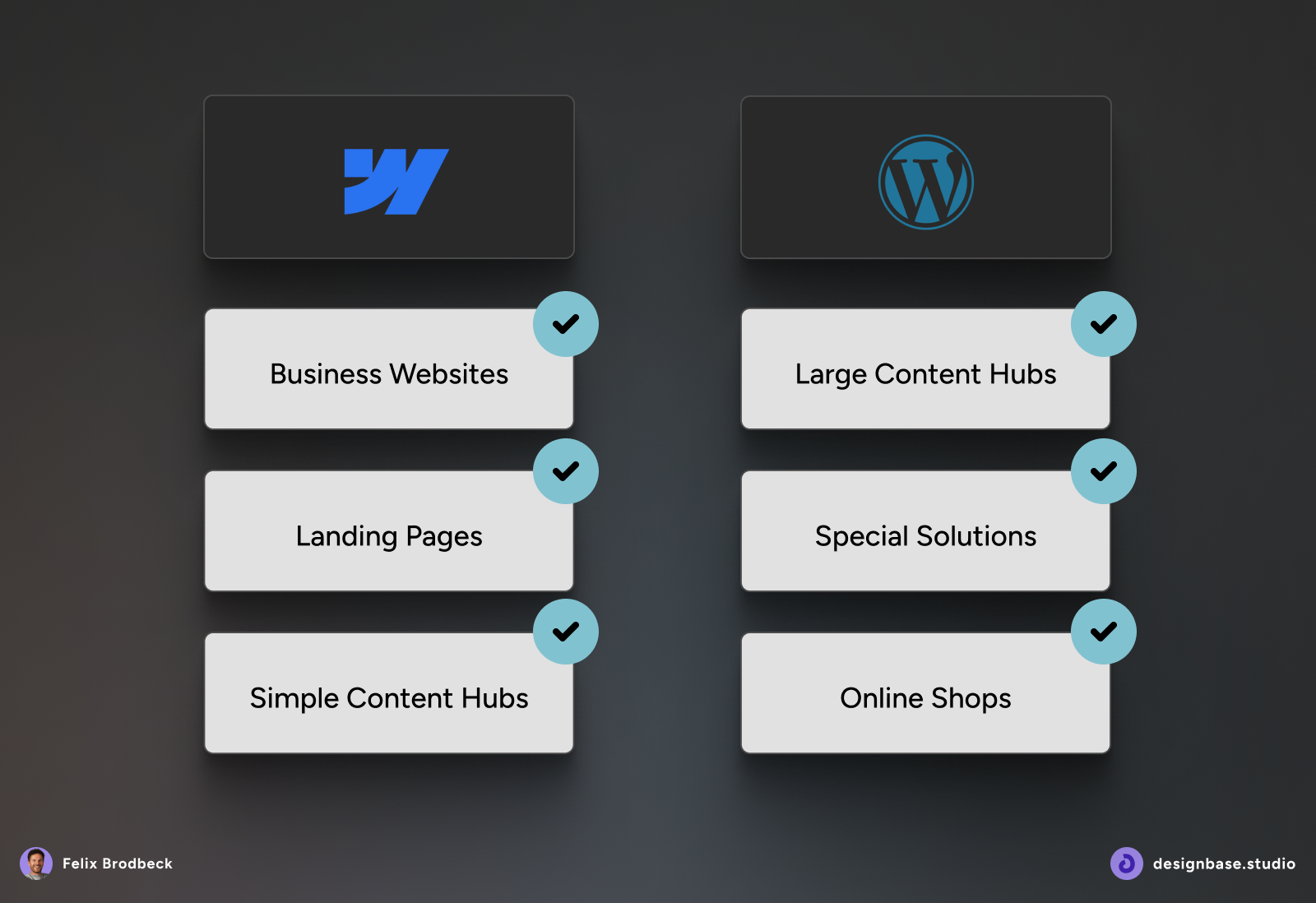
WordPress has a clear advantage if your project is extremely "content-first" or becomes extremely large. We are talking about huge archives, complex taxonomies, or community platforms with user logins. Even if a complex online shop is the core of the site, WordPress is often the more flexible choice. For projects like that, a huge library of plugins is a real trump card that Webflow cannot offer in the same way.
WordPress vs. Webflow: Market Share and Platform Strengths
The difference in market share is significant, but it shouldn't be confused with a simple quality ranking.
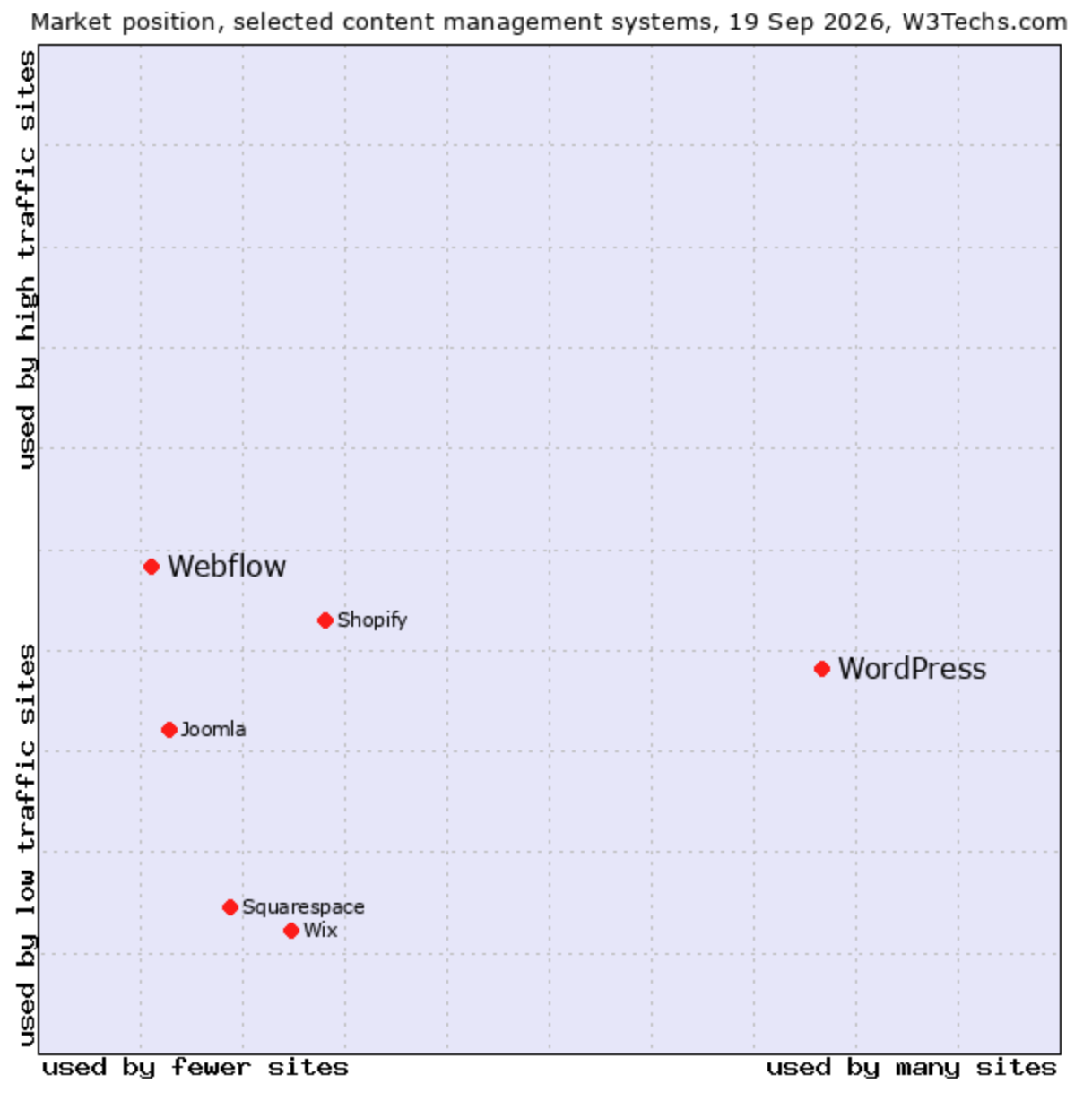
According to W3Techs' comparison (retrieved September 2026), WordPress is used by 40.2% of all websites and holds 58.8% of the market among websites with a known content management system. Webflow is used by 0.8% of all websites and holds 1.2% of the known CMS market.
These figures show the scale of each platform's installed base. WordPress has a far larger ecosystem, while Webflow occupies a smaller but established position among visual-development and design-led marketing platforms.
A separate StackScan data (retrieved September 2026) counts approximately 580,000 websites using Webflow worldwide. In that dataset, Germany ranks second behind the United States with 34,837 detected Webflow websites, while the broader DACH region accounts for almost 50,000 sites.
The more useful question therefore is not which platform is used by more websites. It's which platform's strengths match the website your business needs to operate.
WordPress: The Power of the Ecosystem
WordPress is an open-source CMS. The software can be hosted with a provider of your choice, and its code, database, themes, plugins, and integrations can be customized extensively.
Its main strength is not simply that it's flexible. It's that WordPress gives businesses access to a very large ecosystem of developers, agencies, plugins, themes, integrations, hosting providers, and specialized solutions.
WordPress is often the stronger choice when a website needs:
- Very large or complex content archives.
- Custom post types and taxonomies.
- Advanced editorial workflows.
- Memberships, user accounts, or restricted content.
- Community features or online courses.
- Complex ecommerce.
- Deep integrations with custom systems.
- Greater control over hosting, databases, and infrastructure.
WordPress can handle more than standard blog posts. Developers can create separate content types like products, case studies, events, or locations, and organize them with custom categories or labels. That structured content can also be connected to other tools through the REST API, which makes WordPress suitable for more complex websites and applications.
That flexibility comes with responsibility. The business or its agency must manage hosting, WordPress core updates, themes, plugins, backups, access controls, security, performance, and compatibility between connected systems.
WordPress can be extremely fast and secure when it's engineered and maintained properly. The platform itself does not guarantee either outcome, just as Webflow does not guarantee them automatically.
Webflow: The Power of Integration
Webflow takes a more integrated approach. Visual development, reusable components, CMS functionality, hosting, publishing, and much of the platform infrastructure sit inside one managed environment.
Its main strength is the connection between design and everyday marketing execution. A well-structured Webflow site can give marketing teams control over content and page publishing without giving them an unstructured canvas that can undermine the design system.
Webflow is often the stronger choice when a website needs:
- High visual and layout control.
- Reusable components and consistent brand systems.
- Structured content for services, resources, case studies, events, or industries.
- Fast campaign and landing-page publishing.
- A lower-maintenance hosting and publishing environment.
- Fewer infrastructure decisions for the internal team.
- A clear workflow between designers, developers, and marketers.
Webflow automatically creates site backups as work is made, and paid Site plans include unlimited backups. SSL hosting is also provided within the Webflow environment, reducing the number of hosting and infrastructure tasks the site team has to manage.
That doesn't mean Webflow removes every operational responsibility. Teams still need to manage access, custom code, forms, integrations, SEO settings, content quality, redirects, and the design system itself.
Webflow also has more defined platform boundaries. Businesses need to consider CMS item limits, localization requirements, ecommerce needs, external integrations, portability, and account-based functionality before committing to the platform.
Software and User Interface: How Do You Really Work With It?
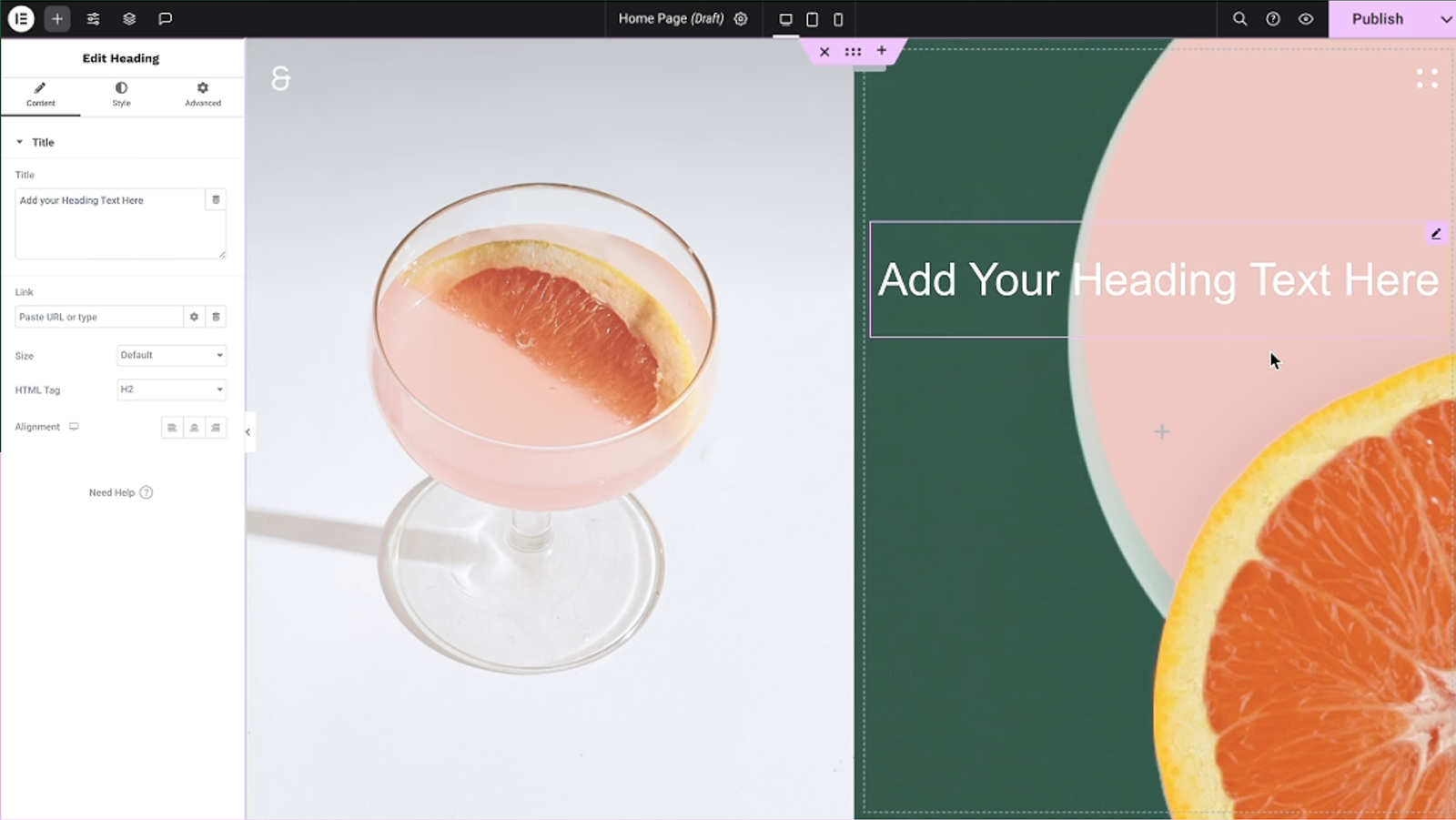
The practical difference between Webflow and WordPress becomes clearest in the editor. Both platforms can let marketing teams update content, but they give teams different levels of control over layout, components, and the underlying website system.
The important question is not which interface looks simpler, but whether the marketing team can make routine changes without breaking the design system or waiting for developers.
Webflow: Visual Development in the Browser
Webflow's Designer is a visual development environment. It's not just a drag-and-drop construction kit. The interface represents the underlying structure of the website, including elements, classes, components, variables, responsive behavior, and layout rules.
When a designer places an element on the canvas or changes its spacing, Webflow applies the corresponding styling and layout rules while showing the result visually in the browser.
The advantage is the connection between visual design and reusable systems:
- Classes control shared styling across multiple elements.
- Components allow approved sections to be reused and maintained consistently.
- Variables can store shared values such as brand colors, typography, and spacing.
- CMS Collections separate structured content from page layout.
- Component properties and variants allow controlled differences within a reusable system.
Webflow's variables work like design tokens: a shared value like a brand color, spacing unit, or type size can be updated centrally and reused across the site. Components provide reusable blocks that can be customized at the instance level while retaining the underlying structure.
For a marketing team, this creates freedom within boundaries. Editors can update content and use approved components, while the underlying layout and brand system remain controlled.
WordPress: Flexible Editing, More Variable Setups
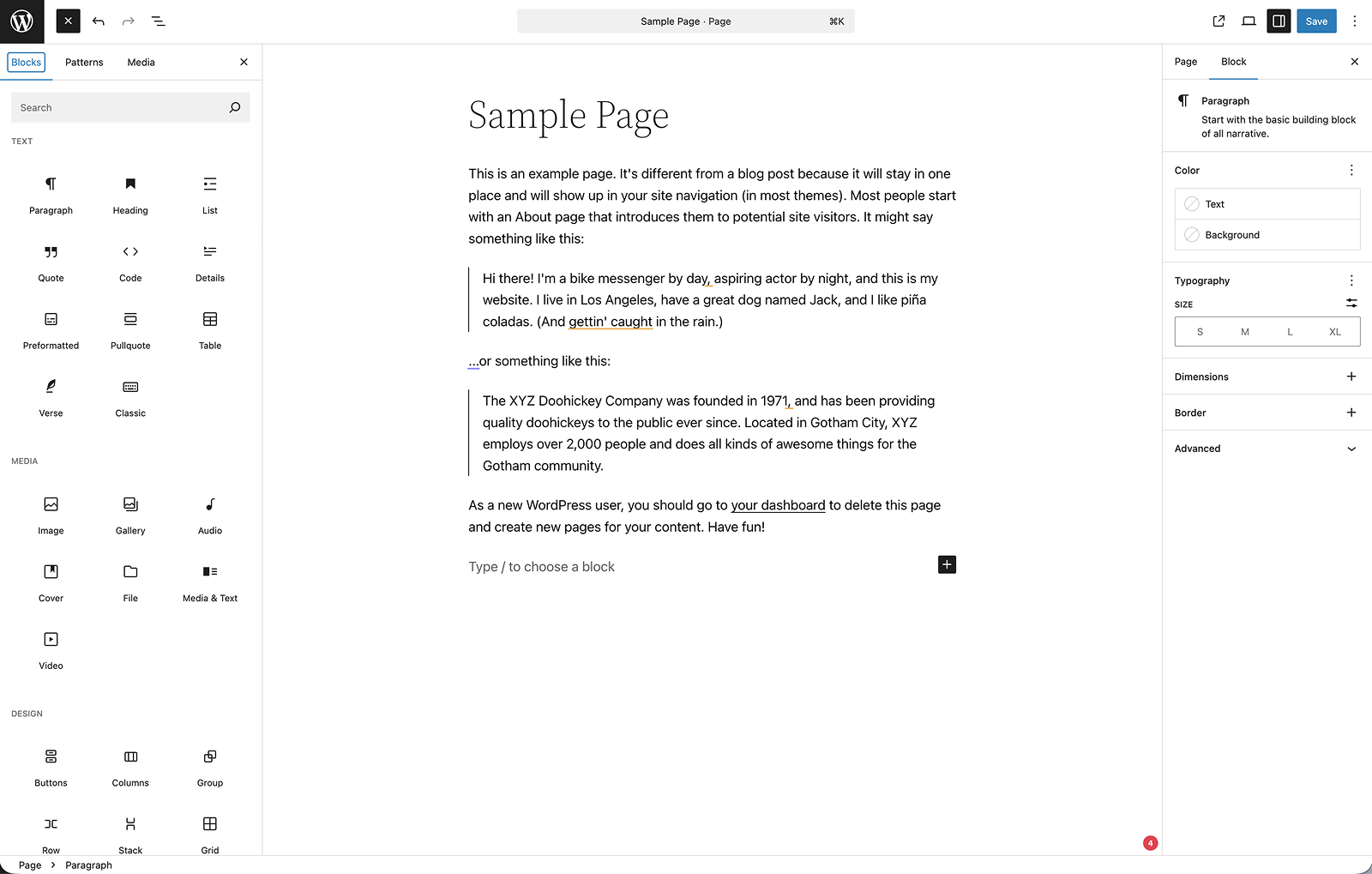
WordPress has also evolved significantly. Modern WordPress websites can use the Block Editor, reusable blocks, synced patterns, custom post types, custom fields, and full-site editing.
A well-built WordPress site can give marketing teams a strong editing experience. Block Patterns allow predefined groups of blocks to be inserted into pages and customized, while synced patterns can help keep shared layouts consistent.
The practical difference is that the experience depends more heavily on the implementation.
A WordPress setup can work very well for marketing teams when it has:
- A well-configured block theme.
- Reusable patterns.
- Clear editor permissions.
- A stable plugin stack.
- Custom fields for structured content.
- A defined content model.
- Clear governance between marketing and development.
The same workflow can become frustrating when the site combines several page builders, theme-specific components, plugin-generated layouts, and custom code that only developers understand.
That's why it is not accurate to say that WordPress always requires developers or that Webflow never does. Both platforms can be configured well or poorly.
The difference is that Webflow brings visual development, reusable design systems, CMS content, and hosting into a more integrated environment. WordPress gives teams more implementation choices, which creates more flexibility but also more variation between projects.
Which Platform Lets Marketing Move Faster?
For a marketing team working inside a well-built design system, Webflow is often easier to operate day to day.
That's especially true when the team needs to:
- Launch landing pages regularly.
- Update product or solution pages.
- Publish case studies and resources.
- Keep layouts visually consistent.
- Work without creating a development ticket for every routine change.
- Make controlled updates across multiple pages.
WordPress can support the same level of autonomy, but the actual setup matters more. Before deciding, ask:
- Which editor does the team use?
- Can editors create pages without breaking templates?
- Are reusable patterns available?
- Who controls global styles?
- Are plugins and themes actively maintained?
- Can marketing publish independently?
- Does the team need developers for routine layout changes?
The platform name alone doesn't answer these questions. The implementation does.
Plugins and Extensions: Flexibility vs. Dependencies
The difference is not that WordPress has plugins and Webflow doesn't. The difference is where functionality lives and who is responsible for keeping the system reliable.
WordPress: The Plugin Zoo
WordPress can be extended for almost any common website requirement.
A typical plugin stack (with examples) looks like this:
- SEO (Yoast or RankMath) to maintain meta data.
- Caching (WP Rocket) so the page loads quickly.
- Security (Wordfence) to fend off hackers.
- Image optimization (Smush) to suppress load times.
- Forms (Gravity Forms).
- Backups (UpdraftPlus).
- Often a Page Builder (Elementor or Divi), which in turn brings its own add-ons.
While there's a huge marketplace for WordPress Plugins there is also a problem: each of these extensions is written by a different developer. Each brings its own code, its own JavaScript, its own CSS. This bloats the site.
What's even worse: if extension A updates, extension B might stop working. So you have to constantly test and maintain.

Webflow: Fewer Core Dependencies
Webflow takes a more integrated approach. Many common marketing site requirements are handled within the platform or its connected systems, including:
- Page structure and styling.
- Components and design-system rules.
- CMS content.
- Metadata and Open Graph settings.
- Redirects.
- Sitemap controls.
- Hosting and SSL.
- Backups.
- Native interactions (tabs, sliders, lightboxes).
This doesn't mean that Webflow is without dependencies. Forms, analytics, consent tools, CRM connections, search, personalization, and custom functionality may still rely on external services or custom code.
The difference is that a standard Webflow marketing site usually has fewer separate layers inside the core page-building system. That can make the website easier to govern and reduce the amount of compatibility testing required after routine changes.
The Practical Trade-Off
WordPress gives you more ways to extend the website. Webflow gives you a more controlled core environment for building and operating a marketing website.
Choose WordPress when the functionality itself is the main requirement. Choose Webflow when a reliable design and publishing system is more important than maximum extension depth.
Team Workflow: Who Does What?
A CMS is only as effective as the team that operates it. The most important question you have to ask yourself is can each team can do its work without creating unnecessary risk or delay.
Marketing
In Webflow, marketing teams can often update CMS content, edit copy, launch pages from approved components, and publish campaign content without relying on a developer for every routine change.
In WordPress, this is also possible, but it depends more heavily on the theme, editor, plugins, and permissions setup. A well-configured block-based site can work very well. A site built around fragile templates or multiple page builders can make marketers reluctant to edit layouts.
Design
Webflow is often a strong fit for designers because layout, spacing, typography, responsive behavior, components, and interactions are visible in the same working environment.
WordPress can support highly custom design through custom themes and blocks. The risk appears when a design is created in one system and then translated into a theme, builder, and collection of plugins. Without close collaboration, some of the original design logic can be lost during implementation.
Development and IT
WordPress teams typically retain more responsibility for hosting, updates, plugin compatibility, PHP versions, backups, security, and performance.
With Webflow, developers spend less time maintaining the hosting layer and more time building the system itself: components, CMS architecture, custom code, integrations, advanced interactions, and governance rules.
Webflow doesn't remove developers from the project. It changes where their time is most valuable.
Design and Brand Consistency
For an established business, design consistency is not only a visual preference. It affects trust, conversion paths, accessibility, and how easily new pages can be added without creating a fragmented website.
Webflow: A Design System Built Into the Site
Webflow is particularly strong when the design system is built before the website grows.
A well-structured Webflow project should include:
- Type scales.
- Spacing rules.
- Color variables.
- Reusable components.
- Component variants.
- Responsive behavior.
- CMS templates.
- Approved interaction patterns.
Once these rules are in place, the team can add pages without treating every page as a separate design project. A global component or variable can be updated centrally, while editors work within the boundaries of the system.
This is especially useful for websites with recurring page types - some examples: solution pages, industry pages, case studies, resources, and campaign landing pages.
WordPress: Strong When the Theme and Governance Are Strong
WordPress can also support a consistent design system through custom themes, block patterns, global styles, custom fields, and carefully controlled editor permissions.
The main risk is not WordPress itself. It's gradual inconsistency. A company may start with a theme, add a page builder, install a collection of add-ons, and then create custom exceptions for individual pages. Over time, the website becomes harder to govern because no one is sure which parts are global, which are template-based, and which are one-off modifications.
The practical difference is that Webflow makes component-based visual control a central part of the build. WordPress can achieve the same result, but it requires a more deliberate theme and governance strategy.
Content Hubs and CMS Structures
A content hub is usually the SEO and sales-support engine of a business website. It may include blog posts, case studies, resources, events, guides, team members, industries, or product content.
The CMS needs to do two things well:
- Store content in a structured way.
- Reuse that content in the right places across the website.
Webflow CMS Collections
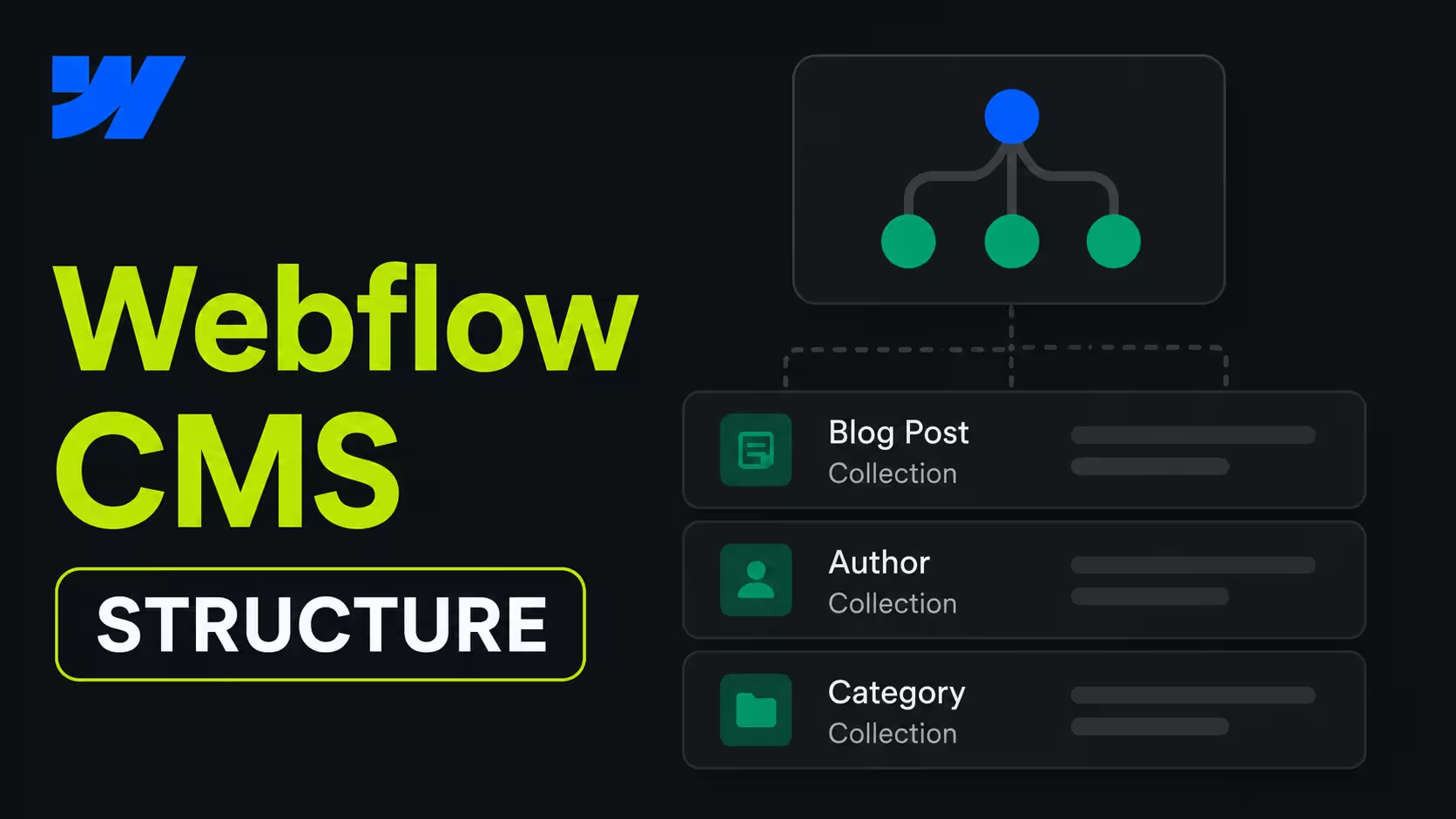
Webflow uses CMS Collections for structured content. A typical business website could have separate Collections for blog posts, case studies, resources, events, industries, services or team members.
These Collections can be connected through reference fields and displayed through reusable templates and Collection Lists. For example, a solution page can show the three latest case studies tagged to the same industry.
This is a strong fit for a normal business website with a clearly defined content model and a marketing team that needs to publish regularly.
Webflow works best when the relationships are planned before the build. If the CMS structure is improvised later, the site can still become difficult to manage even without plugins.
WordPress Post Types and Taxonomies
WordPress uses posts, pages, custom post types, taxonomies, custom fields, and templates to model structured content.
That system is often stronger when content relationships become highly complex. For example, a large publisher may need nested taxonomies, advanced filters, multiple authors, custom archives, editorial workflows, or connections to other databases.
WordPress custom post types and taxonomies can also be exposed through the REST API when configured for API access, making it possible to connect structured content to other tools and applications.
Which CMS Fits Better?
For a standard marketing content hub, Webflow is easier to model and operate.
For a very large, deeply relational, or application-like publishing system, WordPress offers more flexibility.
The important question is not how many blog posts the website has today, but it's how complex the content model will become over the next 3 to 5 years.

SEO and Performance: It Depends on the Team
Neither Webflow nor WordPress guarantees better rankings. Both can support strong SEO when the information architecture, content, internal linking, performance, and technical setup are handled properly.
A 2026 analysis of Core Web Vitals pass rates found that Webflow sites passed at approximately 58% versus 42% for WordPress across a comparable sample - a gap driven largely by WordPress sites with heavy page builders, unoptimized media, and excessive third-party scripts rather than by WordPress itself performing poorly when properly configured.
Technical SEO
Webflow provides core controls for:
- Page titles and meta descriptions.
- Open Graph settings.
- Canonicals.
- XML sitemap controls.
- 301 redirects.
- Indexation settings.
- CMS-driven content structures.
Webflow's SEO covers site-level controls like sitemap configuration, canonical settings, and crawl-related setup.
WordPress can support the same requirements through core functionality, plugins, custom fields, themes, and development. Its larger ecosystem also creates more options for complex schema, multilingual setups, custom taxonomies, and specialized SEO workflows.
Webflow is often simpler for a standard marketing website. WordPress is often more extensible for advanced SEO implementations.
Performance
Webflow can make performance easier to standardize because hosting and much of the delivery infrastructure are managed within the platform.
WordPress performance varies more widely. A lightweight custom theme on capable hosting can be fast. A site with a heavy page builder, oversized media, excessive third-party scripts, poor caching, or weak hosting can be slow.
Neither platform is automatically fast. Performance depends on:
- HTML and CSS structure.
- JavaScript and third-party scripts.
- Image and video handling.
- Font loading.
- Hosting and caching.
- Template complexity.
- CMS queries and filtering.
- Development quality.
SEO Workflows in Daily Marketing
For marketing teams, Webflow can be more convenient because page-level SEO controls, redirects, content templates, and design-system components are available within a more integrated workflow.
WordPress can be equally capable, but the team may work across the editor, SEO plugin, theme settings, caching layer, schema tool, and hosting environment.
The deciding question is whether the team can consistently publish, optimize, link, redirect, and maintain content without introducing technical problems.
Security, Maintenance, and Risk
This is one of the most practical differences between the platforms.
Webflow reduces much of the infrastructure responsibility because hosting, SSL, backups, and the core platform environment are managed within the service. Webflow automatically creates site backups as work is made, and paid Site plans include unlimited backups. SSL hosting is also provided within the Webflow environment.
That doesn't make the site automatically secure. Teams still need to manage:
- User permissions.
- Custom code.
- Forms and integrations.
- Third-party scripts.
- SEO settings.
- Content quality.
- Redirects.
- Data protection and consent requirements.
WordPress can also be secure, fast, and reliable. The difference is that more of the operating environment belongs to the site owner or agency.
That usually means:
- Hosting.
- WordPress core updates.
- Theme updates.
- Plugin updates.
- PHP versions.
- Backups.
- Access controls.
- Malware monitoring.
- Vulnerability management.
- Performance monitoring.
Webflow manages more of the platform environment. WordPress gives you more control over that environment, but also more responsibility for maintaining it.
For a marketing-led team without dedicated WordPress operations support, Webflow can reduce operational risk. For a business with strong WordPress expertise and a stable technical setup, staying with WordPress may still be the better decision.
A Major Webflow Change in 2026: User Accounts
Webflow's native User Accounts functionality was disabled on January 29, 2026, and the related User Accounts APIs and webhooks were removed.
This matters if the website needs:
- Member logins.
- Gated content.
- Customer portals.
- Course access.
- Community profiles.
- Account-based personalization.
Those use cases now require an external specialist tool or a separate application layer.For a standard marketing website, this may have no practical impact. For a membership or account-based website, it can make WordPress a more suitable platform.
When Companies Reconsider Their Website System
The decision between WordPress and Webflow usually begins with a business problem, not a feature checklist.
A company grows. The website grows with it. New landing pages are added, campaigns run in parallel, content expands, and more teams need to work on the site. Eventually, the question is no longer whether the existing setup can stay online. The question is whether it still supports how the business needs to operate.
That's where the WordPress versus Webflow decision becomes practical.
For some companies, WordPress remains the better choice because they need complex publishing logic, advanced content relationships, memberships, ecommerce, or deeper infrastructure control. For others, the bigger issue is that the website has become fragmented, difficult to update, or too dependent on developers for routine marketing work.
Instaffo: When the Website Stack Becomes Fragmented
Instaffo is a useful example of the second problem. Its main website ran on Webflow, but more than 120 landing pages lived in Instapage. The result was a fragmented web presence: campaign pages followed a different visual system, had no shared component logic, and were harder to manage consistently.
The lesson is not that Webflow is always better than Instapage or that WordPress would automatically solve the problem. The lesson is that companies need to evaluate whether their website, landing pages, content system, and brand experience operate as one system or as a collection of disconnected tools.
At Designbase Studio, we helped Instaffo consolidate the landing page experience into a scalable, component-based Webflow system. That gave the team a shared visual foundation and made it possible to create landing pages without rebuilding the same design logic from scratch each time.
This is the type of business problem that can lead a company to reconsider its website platform:
- Campaign pages do not match the main website.
- Marketing needs developers for routine page changes.
- Components cannot be reused consistently.
- Content is spread across separate systems.
- The website becomes harder to govern as the company grows.
Bloomwell: When the Existing CMS Creates Friction
Bloomwell provides another relevant example. The project involved moving from a patched custom CMS to a maintainable Webflow setup with a modular component system and an automated product sync for more than 850 products.
This is not a WordPress case study, and it should not be presented as one. But it's still relevant to the platform comparison because it shows that the core question is often system fit.
A business may need to reconsider its setup when:
- The CMS is difficult to maintain.
- Product or content updates depend on manual work.
- The design system is inconsistent.
- Operational knowledge is concentrated in too few people.
- The website cannot keep up with the business's publishing needs.
In Bloomwell's case, the solution was not to add another patch to the existing setup. It was to create a cleaner Webflow system and automate the product workflow around it.
What These Examples Do and Do Not Prove
These projects do not prove that Webflow is the right platform for every business. They show what happens when a website system no longer matches the company's operating needs.
Webflow is often a strong fit when a marketing team needs:
- A shared design system.
- Reusable components.
- Faster campaign publishing.
- Fewer routine developer handoffs.
- A more integrated CMS and publishing workflow.
- Lower infrastructure responsibility.
WordPress is often the stronger choice when the website depends on:
- Complex content relationships.
- Advanced editorial workflows.
- Memberships or user accounts.
- Community features.
- Advanced ecommerce.
- Deep backend customization.
- Self-hosted infrastructure control.
Based on that, the right question to ask is:
Which platform gives this company the right balance of flexibility, publishing speed, governance, and operational responsibility?
Where Each Platform Wins
There is no universal winner between Webflow and WordPress. Each platform is stronger in different situations.
Webflow Is Usually Stronger For
- Marketing-led business websites.
- Design-heavy websites with a controlled visual system.
- Teams that publish landing pages and campaigns regularly.
- Websites built around reusable components and CMS templates.
- Companies that want hosting, SSL, backups, and core infrastructure managed.
- Teams that want fewer plugin and compatibility dependencies.
- Websites where marketing needs to make routine changes without opening development tickets.
- B2B websites with structured content like solutions, industries, case studies, resources, and events.
Webflow's main advantage is integration. Visual development, design systems, CMS content, publishing, hosting, and many common website controls exist within one environment.
That makes Webflow particularly effective when the website is primarily a marketing and content system rather than a complex application.
WordPress Is Usually Stronger For
- Very large or deeply relational content systems.
- Advanced editorial workflows.
- Complex taxonomies and custom post types.
- Memberships, user accounts, and restricted content.
- Communities, courses, and user-generated content.
- Complex ecommerce requirements.
- Websites that need deep backend customization.
- Companies that require control over hosting, databases, and application code.
- Businesses with established WordPress expertise and a stable technical setup.
WordPress's main advantage is extensibility. Its open-source architecture and large ecosystem give businesses more ways to adapt the platform to specialized requirements.
That flexibility is valuable when the website needs to behave more like a publishing platform, application layer, community, or complex store than a standard marketing website.
The Short Decision
Choose Webflow when design control, publishing speed, consistency, and lower infrastructure responsibility matter most.
Choose WordPress when content complexity, advanced functionality, extensibility, or infrastructure control matter most.
Both platforms can support strong SEO, fast websites, and professional marketing experiences. The implementation matters more than the platform label.
Cost and Maintenance in 2026
The cost comparison is often framed as WordPress is free and Webflow is paid. That is technically true, but only at the license level. It's not a useful comparison for a professional business website.
A more honest comparison looks at two levels: what you pay upfront for the platform, and what the website actually costs to operate over time.
Level 1: Platform Pricing
Both platforms have real costs. For current plan prices, check directly:
Webflow pricing - Webflow changed its plan structure during 2026, and older comparison articles frequently quote outdated figures.
WordPress hosting and tool costs - WordPress core is free, but a professional setup adds hosting, plugins, themes, and tooling.
Rough estimates for each platform:
WordPress: roughly $200 - $1,500 per month for a typical business website.
WordPress core is free. A professional marketing website typically adds:
- Managed hosting: $20 - $115/month
- Premium plugin stack (SEO, security, caching, forms, backups): $50 - $200/month
- Security monitoring and backups: $10 - $50/month
- Developer or agency time for updates, compatibility, and fixes: $100 - $1,000/month
That gives a realistic monthly range of roughly $200 up to $1,500 for most professionally maintained business websites, depending on complexity, traffic, and how much of the technical work is handled in-house versus outsourced.
At growth-stage and mid-market companies, where internal labor is counted alongside direct costs, research puts the average closer to $1,100 - $3,500 per month.
Webflow: roughly $44 - $650 per month for a typical business website.
Webflow's site plans currently start at $15 - $25 per month for a standard CMS-enabled marketing website on annual billing, following the plan consolidation in May 2026.
A realistic monthly total for a professional business website typically includes:
- Site plan: $15 - $39/month
- Analytics, consent management, and form tools: $10 - $50/month
- CRM connection and additional integrations: $10 - $50/month
- Developer or agency time for custom work and maintenance: $0 - $500/month for a stable, well-built site
That puts most business Webflow setups in a range of roughly $44 - $650 per month in direct recurring costs, not counting the initial build investment.
Higher costs apply for ecommerce, localization, Optimize or analytics add-ons, enterprise workspace seats, or larger-scale agency and developer involvement.
These are estimates, not guarantees. Both platforms can cost more or less depending on what the website actually needs. The point is that a professionally maintained WordPress site is not necessarily cheaper than Webflow once operational costs are included - and in many cases it costs more.
Level 2: Total Cost of Ownership Over Time
This is where the comparison becomes more interesting, and where both platforms have clear data-backed research behind them.
What the Forrester Study Found for Webflow
In 2024, Webflow commissioned Forrester Consulting to conduct a Total Economic Impact™ study examining the ROI of Webflow for enterprise organizations.
The composite organization in the study experienced:
- 332% ROI over three years.
- Payback in less than six months.
- More than $850,000 in costs saved.
- 94% faster time to market for new pages and campaigns.
- 80% improvement in efficiency for making website changes.
- 67% reduction in developer tickets related to routine website work.
The savings came primarily from reduced developer dependency, faster campaign publishing, and lower infrastructure management overhead.
It's worth reading this data with context: the study was commissioned by Webflow. Forrester's methodology is rigorous and independently conducted, but the sample was drawn from Webflow customers who agreed to participate, not from a random cross-section of businesses. The results represent what is possible with a well-implemented Webflow setup -not always a guaranteed outcome.
What Research Shows for WordPress
For WordPress, the TCO picture is less centralized but still documented.
A 2025 global survey by WP Engine, based on more than 1,700 digital decision-makers across the US, UK, and Australia, found that the average annual CMS cost for medium-to-large and enterprise organizations is $2.6 million per year, including licensing, hosting, development, and third-party tools. The same report found that businesses using WordPress saw up to 44% cost savings compared to proprietary CMS platforms.
That last point is important context: the 44% figure compares WordPress to proprietary enterprise platforms, not to Webflow specifically.
The State of Enterprise WordPress Survey 2024, an independent annual survey of major brands and large-scale organizations, found that 62% of enterprises incur additional charges for ongoing site maintenance and updates that were not included in their initial fees - a pattern consistent with how WordPress costs tend to develop in practice.
A 2026 three-year cost model built from primary-source vendor pricing found that the real WordPress cost of ownership for a typical business website lands between $5,700 and $21,000 over three years when hosting, plugins, security tools, developer maintenance, and incident response are combined. Note that this analysis was published by a headless CMS agency with a commercial interest in the comparison - but the line-item breakdown is traceable to real vendor pricing and is consistent with figures from other independent maintenance cost guides.
The Honest Comparison
Both platforms can be expensive when the implementation is poorly planned. Both can deliver strong ROI when the setup matches how the business actually works.
The difference in TCO comes down to where the costs sit:
WordPress has a lower entry cost and broader flexibility, but more responsibility for hosting, security, updates, and compatibility. When it's maintained well, it can be cost-efficient. When it's not, maintenance and incident costs compound - and as the research above shows, those costs are consistently underestimated at the point of launch.
Webflow has a higher recurring platform cost but includes managed hosting, security, SSL, backups, and much of the infrastructure. The Forrester study found that organizations moving to Webflow saved more than $850,000 over three years and achieved 332% ROI - driven primarily by reduced developer dependency and faster publishing workflows.
Those savings depend on whether developer time is genuinely where the current website cost sits.
The two bodies of research are not measuring the same thing. Forrester measured ROI from enterprise organizations that reduced developer dependency by moving to Webflow. The WordPress cost studies measure total operational spend across all business sizes and setups. Neither figure applies universally.
What both confirm is that the platform license is a small part of the real cost. The dominant cost is human time: developer hours, agency retainers, delayed campaign launches, and the compounding friction of a website the team finds difficult to change.
For a marketing-led business where developer handoffs are a genuine bottleneck, the Forrester data suggests Webflow can deliver meaningful savings. For a business with stable WordPress expertise and a well-maintained setup, WordPress may continue to offer lower total cost.
The right question is not which platform is cheaper on paper. It comes down to which platform costs less to operate, maintain, and improve over the lifespan of the website.
Still Unsure Which Platform Fits Your Business?
The decision rarely comes down to a single feature. It comes down to how the website has to work for your team over the next three to five years.
If you are working through a relaunch, a migration, or a platform evaluation and want an honest perspective from someone who has built on both sides - feel free to reach out to myself and the Designbase Studio team.
FAQs
Neither platform guarantees better rankings - both can perform equally well when set up correctly. The practical difference is that Webflow keeps redirects, meta settings, sitemaps, and canonicals built in without plugins. WordPress is more extensible for complex SEO setups like automated schema or multilingual structures. Rankings ultimately depend on content quality and how consistently the team maintains the site.
Yes, when the migration is planned correctly. The critical steps are mapping every URL to its new equivalent, transferring metadata, and running a QA phase before going live. The risk is not the move itself - it's skipping the redirect strategy or rushing the launch.
Webflow manages hosting, SSL, backups, and core updates as part of its platform - infrastructure maintenance is minimal for most marketing teams. WordPress gives you more control but more responsibility: updates, plugin compatibility, and security are managed by you or your agency. The difference compounds over time, not at launch.
WordPress is the stronger choice when the website is more publishing platform than marketing system - large content archives, deep taxonomies, complex editorial workflows, memberships, community features, or advanced ecommerce. It also makes more sense when the team has established WordPress expertise and a stable technical setup they can maintain reliably. For those projects, WordPress's open-source ecosystem and infrastructure control are a genuine advantage, not just a workaround.
No. Webflow gives designers more direct control over layout, spacing, responsive behavior, and components than most WordPress theme and page builder setups. The design system - classes, components, variables - is built into the development environment itself, not layered on top through plugins or theme overrides. A well-built Webflow site lets the team add new pages and campaign content without each one becoming a separate design project.