What happened with PHP2Shell?
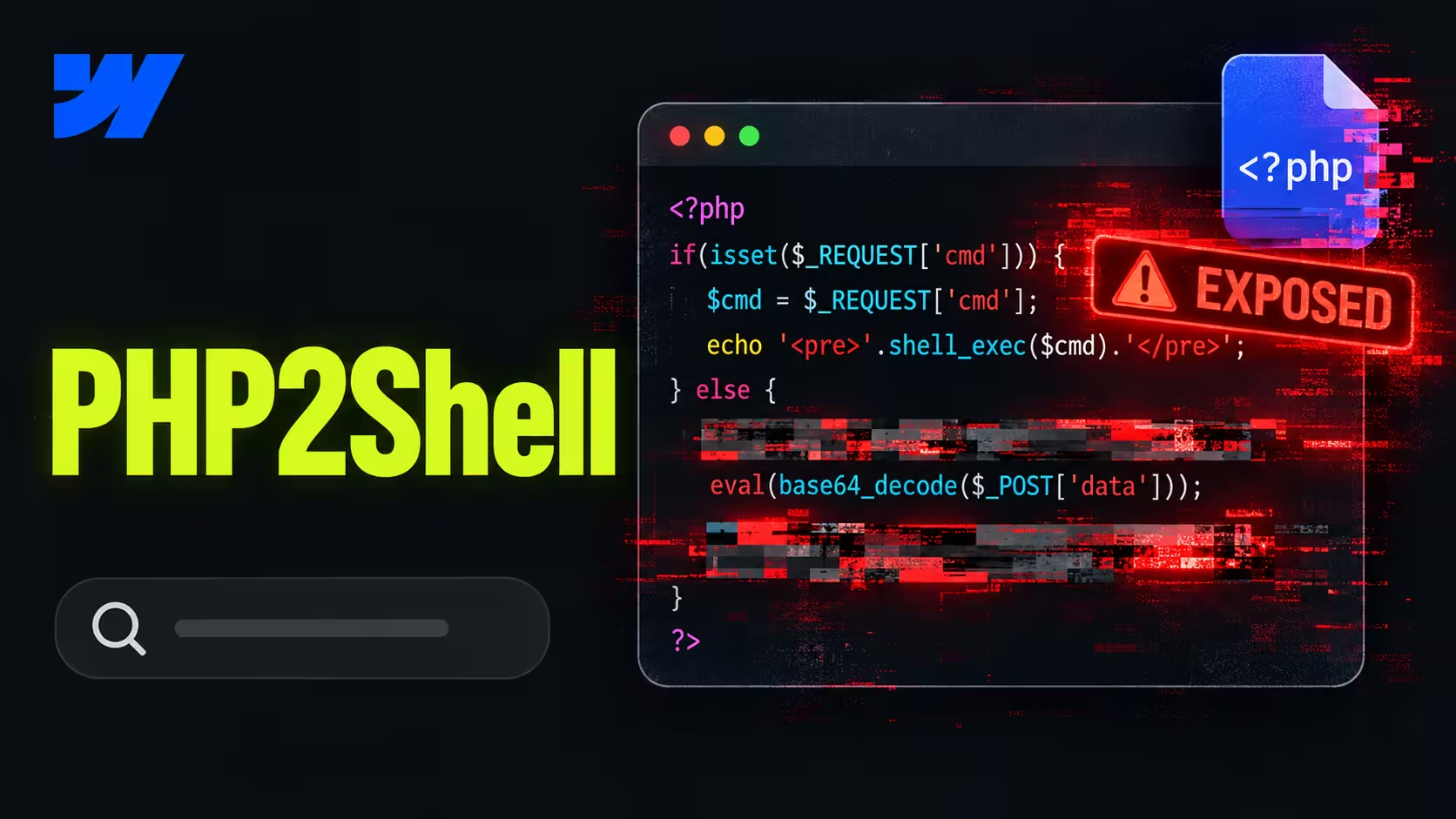
On October 21, 2026, PHP released emergency fixes for two critical flaws that let attackers run their own code on a website's server, without a password. The flaws are called PHP2Shell and both were rated 9.2 out of 10.
PHP is the language behind roughly 69% of websites whose server technology is known, including WordPress, TYPO3, Drupal and Joomla. Details leaked a day before the fix, and Amazon had already seen the first attack attempt on October 17. Researchers found the flaws with the help of AI models.
In Germany, the Federal Office for Information Security (BSI) issued a level 3 “orange” warning and advised operators to take servers offline if they couldn’t patch right away. The city of Mainz switched off mainz.de, and authorities, universities and hospitals followed. In the Netherlands, the DigiD login service and the parliament’s website went dark. Most of these were precautions, not hacks.
Is your website affected?
If your website or any tool behind it runs on PHP, it was exposed until the fix was installed. That includes WordPress, TYPO3, Drupal, Joomla, Shopware and Magento.
Don’t stop at the main website. Check everything your marketing team runs under your domain:
- A blog or resource hub on a separate WordPress install
- A careers portal or landing pages hosted on your own servers
- Self-hosted analytics or marketing automation like Matomo or Mautic
- An online shop on Shopware or Magento
Not sure what a site runs on? A free browser extension like Wappalyzer shows the CMS, and often the server language, in one click. If PHP shows up, or the CMS is one of the above, ask your host or IT for the exact PHP version.
Why didn’t updating WordPress fix it?
Because the flaw sat in PHP itself, one layer below the CMS. Updating WordPress, TYPO3 or every plugin changed nothing. Whoever runs the server had to install a fixed PHP version.
That is why so many teams were stuck. Each layer of a self-hosted website has a different owner, and in an emergency they all depend on the one at the bottom.
Older sites had a harder week. PHP only fixed versions 8.2 to 8.5 officially. Versions 7.4 to 8.1 got source code fixes that hosts had to build themselves, and anything older got no fix at all. According to W3Techs data, about a third of PHP sites still ran PHP 7 or older on patch day.
What did it mean for marketing teams?
A site in maintenance mode does nothing for marketing. Forms collect no leads, paid campaigns send traffic to an error page, and nobody can publish. The marketing team can’t fix any of it, because the problem sits on a server they don’t control.
The bigger issue was ownership. Many companies found out that morning that nobody knew which PHP version their site ran, or who was responsible for updating it. The answer sat with a hosting contract, a former freelancer or an IT ticket queue.
Our tip: Ask your hosting provider or agency one question today: which PHP version runs our website, and who updates it when the next warning comes? If nobody can answer within a day, that is the real risk, not the flaw itself.
What does it mean for security and compliance?
A flaw like this can expose everything on the server, including form submissions and customer data. That makes it a data protection question, not only an IT question.
- GDPR, Article 32. You must keep personal data secure with appropriate measures. Installing fixes for known critical flaws is part of that.
- GDPR, Article 33. If personal data was accessed, you have to notify the data protection authority within 72 hours of becoming aware of it.
- NIS2. Since December 6, 2025, German companies in scope of NIS2 have their own incident reporting duties.
This is not legal advice. Your data protection officer decides what has to be reported. Our guide to Webflow and GDPR covers the data protection basics for company websites.
Would a managed platform have avoided this?
For this flaw, yes. On a managed platform like Webflow, the vendor runs and patches the servers, so your team has no PHP version to update and no ticket to wait for. Webflow’s core services are not built on PHP and customers needed to take no action.
That doesn’t make a managed platform risk-free. Accounts without two-factor login, custom code and third-party scripts still need someone who owns them.
If this week made you question your platform, don’t migrate in a panic. Patch first, then decide calmly. Our guide on when leaving a legacy CMS is worth it helps you decide.
What should your team do now?
Start by confirming the fix is installed, not just scheduled. Then make sure the next emergency doesn’t catch you without an owner.
- Check the PHP version. Ask your host or IT for the exact version. Fixed versions are 8.5.12, 8.4.27, 8.3.36 and 8.2.35.
- Isolate old versions. Sites on PHP 8.1 or older need a vendor fix or an upgrade. Until then, keep them offline or behind a firewall rule.
- Review the logs. Look for unusual activity from October 17 onward and involve your data protection officer if anything looks wrong.
- Name an owner for each layer. Server, PHP, CMS, plugins and custom code, each with one responsible person or provider.
- Agree who can take the site offline. Decide in advance who makes that call and who tells marketing, so the next warning doesn’t start with a search for names.
If you want one team to own this for your Webflow site, our Growth Retainer covers ongoing development and monitoring. Before you choose a platform, our Webflow vs WordPress comparison covers the wider decision.
FAQs
No. Webflow’s core services are not built on PHP and customers didn’t need to take any action. In this specific accident, Webflow sites were not harmed.
No. PHP2Shell was in PHP itself, not in WordPress. Only a fixed PHP version, installed by your host or IT, closes it.
PHP 8.5.12, 8.4.27, 8.3.36 and 8.2.35. Older versions need a fix from your host or vendor, or an upgrade.
Only if personal data was accessed. Then you must notify the data protection authority within 72 hours of becoming aware of it.
Not in a rush. Patch first, then decide based on who should own updates and security for your site in the long run.