A Note From Felix
The year is around, and although we weren’t at Webflow Conf 2026 in person, I followed their announcements closely. Not because every new AI feature needs to become part of a client roadmap immediately, but because the direction of the platform matters for the teams we work with - that’s why we need to understand it fully.
At Designbase, we build and improve Webflow websites for B2B companies whose marketing teams need to launch campaigns, publish content, update pages, and support growth without turning every request into a never-ending dev ticket. So the question I kept coming back to was simple: which updates will genuinely help those teams move faster?
Webflow Is Moving Beyond the Website Build
The biggest announcement at Webflow Conf 2026 was Source by Webflow: a new platform designed for marketing teams and AI agents to launch, optimize, and scale digital experiences together.
Source connects a company’s codebase, CMS, hosting, and martech stack in one shared operating environment. It combines AI-assisted work with Webflow’s visual development tools so marketers, designers, and developers can work from the same underlying system without needing the same interface, permissions, or responsibilities.
Webflow calls these role-specific workspaces “Views” with brand systems, approval paths, and audit trails built in.
That direction reflects a change we’ve been seeing for years. A B2B website is no longer a project that gets redesigned, launched, and left alone. It’s part of the day-to-day growth operation: campaign landing pages, SEO content, product updates, ABM pages, localization, analytics, conversion optimization, and sales all depend on it.
The challenge is no longer just building a good website. It’s giving the marketing team a system they can operate as the business grows - quickly enough to keep up with the market, but with enough structure to protect the brand, performance, and quality of what goes live.
Campaigns Make Component Systems More Valuable
Webflow also announced Campaigns, a new product designed to take performance marketing teams from a campaign brief to a primary landing page, audience or account variants, matched ad creative, conversion tracking, and recommended iterations.
The promise is clear: campaigns can move from idea to launch in hours instead of weeks. But generating more pages is not automatically a competitive advantage. For example, if a company doesn’t have reusable components, clear brand rules, approved page patterns, conversion-focused messaging, and a way to measure results, faster generation can simply create more inconsistency.
This is where a component system matters. A good system gives marketing teams a set of approved building blocks that can be assembled quickly without making every landing page look or behave like a separate website. It means speed with clear guardrails in place.
What Campaigns Still Need: A System Behind It
Webflow Campaigns can speed up the path from brief to landing page variants, ads, and iteration. But it still needs a reliable system to work from: reusable Components, clear brand rules, approved messaging patterns, and content that’s easy to adapt without losing consistency.
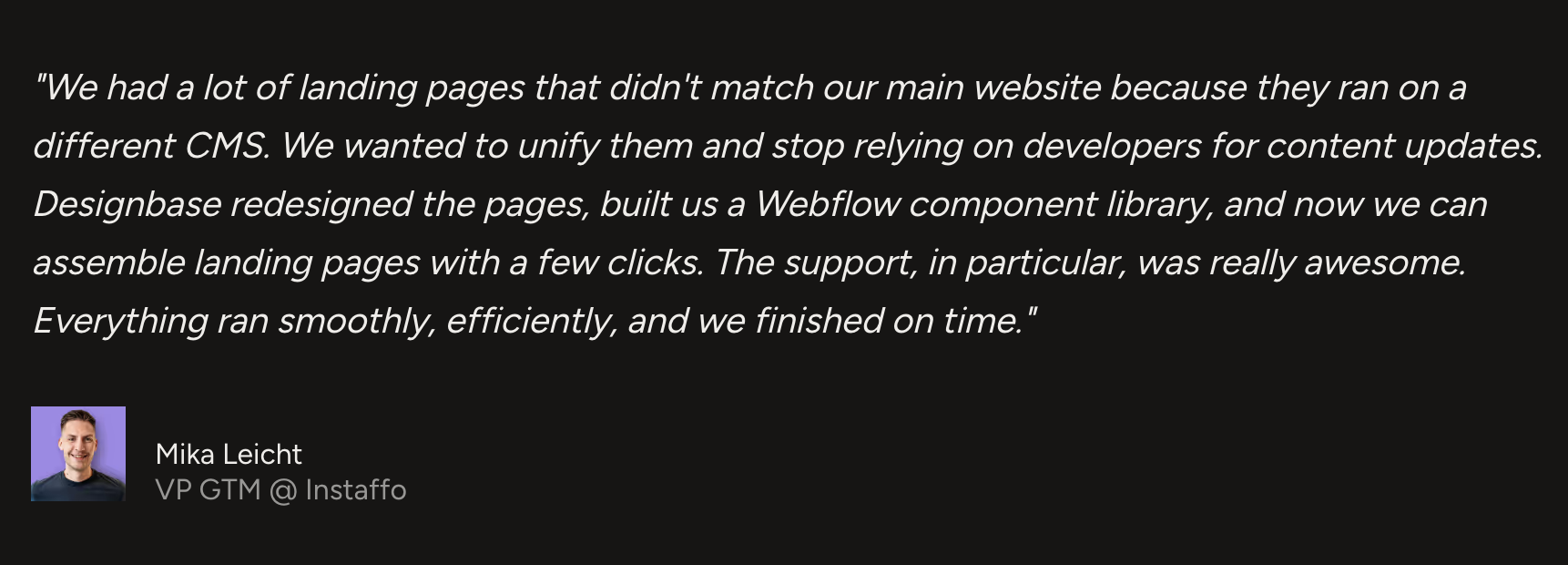
That was the problem Instaffo needed to solve before a workflow like Campaigns could create real leverage. Its main website ran in Webflow, but more than 120 landing pages lived separately in Instapage. The two systems had no shared Component logic, the visual experience had started to drift, and every content update created more dev dependency.
We migrated and redesigned the landing pages in Webflow, then built a Component Library that gave the team one shared foundation for creating new pages. The result was not simply a cleaner website. It was campaign infrastructure: marketing could launch and update landing pages independently while keeping the brand consistent across the main site and performance pages.
AI Search Makes Content Operations More Important
Webflow also expanded Webflow AEO, its answer engine optimization offering. The platform pulls data from ChatGPT, Claude, Gemini, and Perplexity to show where a brand is mentioned or cited, which competitors appear instead, and how referred visitors behave. Webflow also announced content agents that can identify citation gaps, create a brief, and draft original CMS content for review.
Webflow reported that, in its analysis of 2,000 companies, the median company appeared in 16% of the AI answers it would want to appear in and was cited in 6% of those answers. It also reported that AEO customers received more mentions and citations than non-Webflow brands, but the company notes that its internal analysis is directional and doesn’t isolate AEO recommendations from other traffic drivers.
For us, the bigger point is not that an agent can draft an article. It’s that AI discovery is turning content operations into a website capability. Brands need a reliable way to identify important questions, add first-hand expertise, support claims with evidence, connect related pages, keep information current, and review what gets published.
A content agent can make that workflow faster, but it cannot replace subject-matter expertise, a strong point of view, credible case studies, or editorial judgment. The pages most worth citing will still be the ones that explain something useful from real experience rather than restating information everyone else has already published.
CMS Is Becoming Part of Your AI Infrastructure
Webflow’s MCP 2.1 expands what agents can do inside Webflow. The update includes access to GSAP-powered interactions, deeper CMS querying across custom and reference fields, and Webflow Cloud deployment error handling. Webflow says MCP 2.1 will be available to all customers later this month (September, 2026).
For a well-structured Webflow site, this can make audits, content updates, and routine work faster. But it also makes weak architecture more visible. An agent cannot reliably improve a CMS where fields have unclear names, collections overlap, references are inconsistent, and no one owns the information.
If an agent sees a field called “Description” it needs to know whether that field means a card summary, a meta description, a product specification, an intro paragraph, or a CTA. If it’s asked to update related content, it needs reliable references and controlled taxonomy. If it can make bulk changes, it needs permissions that match the risk of those changes.
Our view: clean CMS architecture is no longer only a publishing concern. It’s part of the bigger context AI needs to work safely.
Documentation Now Has a Job to Do
Webflow also announced expanded Agent Instructions, which can generate editable Markdown instructions from a site’s existing context. Templates cover brand guidelines, design systems, asset guidance, and CMS content. These instructions can also be updated as the website evolves.
That may sound like a small operational feature, but it actually has a meaningful implication for B2B teams. Brand guidelines, component documentation, SEO requirements, form rules, CMS guidance, and localization standards can no longer live only in someone’s head or in an old handover document.
They become working context for new team members and for AI agents. The more clearly a company documents how its brand, components, CMS fields, and publishing rules work, the less likely it is that fast changes will create avoidable mistakes.
For our Designbase clients, this reinforces something we already prioritize: the deliverable is not just a finished website. It’s a system the client team can understand, operate, and extend after launch.
Faster Releases Still Need Safeguards
One of the most practical announcements was Releases, a new workflow for branching and staging full-site updates. Webflow says teams will be able to create a branch that includes pages, CMS content, components, assets, and locales, then review and stage work before it moves to production. The Releases feature is planned to enter beta later this year.
This matters for large website changes: a rebrand, website migration, new product launch, pricing update, localization rollout, or major campaign should not depend on editing production pages one by one. The faster a team can create and change website content, the more important it becomes to have a controlled path for reviewing what’s about to go live.
Webflow also announced Agent Presence, which will show where agents are working in real time, alongside the existing activity log for AI changes. The goal is visibility: teams should be able to see what changed, who or what is working on it, and whether the work has been reviewed before it’s published.
That is the right balance. AI can reduce production time, but teams still need confidence in quality, brand consistency, compliance, and performance before a change reaches the live site.
What This Means for Marketing Teams
The best next step is not to turn on every new Webflow feature as soon as it’s available. Some announcements are in limited preview or beta, and their workflows will evolve. Campaigns is currently in beta, Source is in limited research preview, Assets is expected to enter beta in October, and Releases is planned for beta later this year.
Instead, use the announcements as a prompt to assess the foundation you already have. Ask whether your website can support faster campaign launches without producing inconsistent pages. Ask whether your CMS makes reusable content easy to find and maintain. Ask whether your component system gives marketing enough flexibility without removing guardrails. Ask whether localized pages, forms, analytics, SEO requirements, and approval processes are built into the workflow rather than added at the end.
The teams that benefit most from AI-assisted website work will not necessarily be the ones generating the most pages. They will be the ones with a clear strategy, a strong design system, structured content, reliable data, documented rules, and a release process that keeps quality high as speed increases.
The Designbase View
Webflow Conf 2026 made it clear that websites are becoming more connected to the rest of the growth stack. Campaign creation, content production, AI search visibility, personalization, analytics, and site releases are moving closer together.
For B2B marketing teams, that’s a major opportunity. A well-built Webflow site can become a platform for launching campaigns, testing messaging, scaling content, and supporting the pipeline rather than a bottleneck that needs developer intervention for every change.
But the foundation still matters. Before adding more automation or agents, make sure the website has a component system that people can use, a CMS that reflects the business, content that provides real expertise, and clear rules for what can change without technical review.
That is how teams can use the next wave of Webflow capabilities without losing the consistency, control, and quality that make a website valuable in the first place.
FAQs
Webflow announced Source, Campaigns, Assets, AEO content agents, MCP 2.1, Releases, Agent Instructions generation, and Agent Presence. Together, the updates focus on helping marketers, designers, developers, and AI agents work on website growth in a more connected workflow.
Webflow Campaigns is currently in beta. Webflow said it expects the product to be available for purchase next month (October 2026), so teams should confirm current availability and pricing directly with Webflow before planning around it.
Source is Webflow’s new platform for connecting code, CMS content, hosting, marketing tools, visual development, and AI agents in a shared environment. It’s currently available in limited research preview.
Webflow MCP 2.1 expands agent access to Webflow with GSAP interaction support, deeper CMS querying across custom and reference fields, and Webflow Cloud deployment error handling.
No. Webflow AEO can help teams identify visibility gaps, monitor mentions and citations, and prioritize improvements, but it can’t guarantee citations. Original expertise, useful content, accurate claims, and ongoing maintenance still matter for that.