
Webflow is a visual website platform that combines design, content management, hosting, publishing, and site management in one system.
It lets teams build responsive websites visually, manage structured content through Webflow CMS, and publish without maintaining a separate hosting or plugin stack.
Webflow is mainly used for marketing websites, B2B SaaS websites, startup websites, agency sites, content hubs, and landing-page systems. It is a strong fit for teams that need custom design, structured content, and the ability to update the website without relying on developers for every change.
This guide explains what Webflow is, how it works, what it's used for, what Webflow CMS does, whether it's good for SEO, how pricing works, and where the platform may not be the right fit.
Webflow in one sentence: Webflow is a visual website development platform that combines design, CMS, hosting, publishing, and website management for teams that want more control without managing a traditional self-hosted stack.
What Is Webflow?
Webflow is a hosted visual development platform for building, managing, and publishing websites.
It combines a visual design tool with a content management system, managed hosting, publishing tools, and website settings. Users can create responsive layouts, add structured content, connect pages to CMS Collections, and publish the finished site from the same platform.
Webflow is not only a template-based website builder. Its visual interface gives designers control over layouts, spacing, typography, components, and responsive behaviour while generating the underlying HTML, CSS, and JavaScript.
In practical terms, Webflow brings five main functions together:
- Visual website design
- Content management
- Managed hosting
- Publishing and site management
- SEO and technical settings
This combination makes Webflow particularly useful for marketing websites that need to evolve over time.
Webflow is often described as a no-code platform, although advanced projects can still require technical knowledge or developer support.
How Does Webflow Work?
Webflow works by connecting visual design, structured content, and managed publishing in one platform.
A team can design the website, create reusable page structures, add content, and publish changes without moving between a separate design tool, CMS, hosting provider, and deployment system.
The Visual Design Layer
Webflow's visual Designer lets users build responsive pages using sections, containers, grids, flex layouts, typography, spacing, classes, and components.
The interface represents the underlying front-end structure. Designers can control the layout visually while still working with concepts that map to HTML and CSS.
This gives Webflow more flexibility than template-first builders. Teams can create custom layouts and reusable design systems instead of adapting every page to a rigid theme.
The trade-off is that Webflow has a steeper learning curve. Users need to understand basic layout and responsive-design concepts to use the platform well.
The Content Management Layer
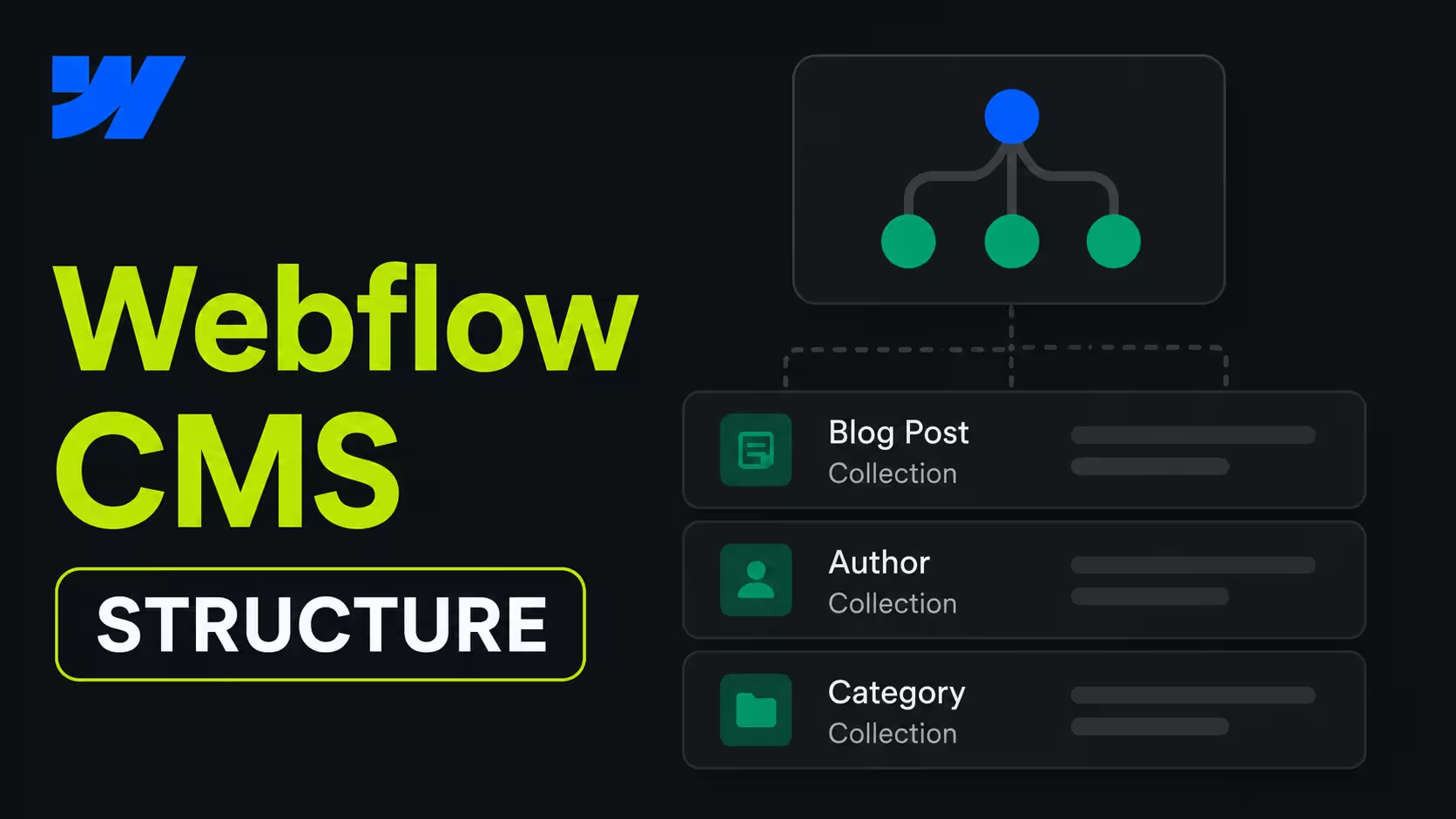
Webflow includes a CMS for managing repeatable content like blog posts, case studies, team members, job listings, resources, and events.
Each content type can be stored in a CMS Collection with fields such as a title, slug, image, author, category, summary, or publication date. A Collection can then connect to a reusable template.
For example, a team can create one blog template and use it for every article. Updating the template can update the structure of all connected posts.
This makes Webflow CMS perfect for content-led marketing websites. It allows teams to manage content at scale without designing every page manually.
For a deeper explanation of Collections, fields, dynamic templates, and CMS limitations, see our guide to Webflow CMS.
Hosting and Publishing
Webflow also provides managed hosting and publishing.
Once a website is ready, teams can publish it through Webflow's infrastructure instead of configuring a separate hosting environment. The platform includes hosting, deployment, CDN delivery, and core site-management tools as part of its managed model.
This reduces the operational work involved in running a website. However, it also means that Webflow is a hosted platform, so users have less infrastructure control than they would with a fully self-hosted system.
Compared with a typical self-hosted WordPress setup, Webflow centralizes more of the design, publishing, hosting, and maintenance workflow. The trade-off is less control over the underlying infrastructure.
What Is Webflow Used For?
Webflow is used to build and manage websites that need custom design, structured content, and regular marketing updates.
It's popular for:
- Marketing websites
- B2B SaaS websites
- Startup and scaleup websites
- Agency and professional-service websites
- Blogs and content hubs
- Resource libraries
- Campaign landing pages
- Case study and portfolio systems
Marketing Websites
Marketing websites are Webflow's clearest use case.
Teams use Webflow for homepages, product pages, solution pages, industry pages, pricing pages, campaign pages, customer stories, and blogs.
The platform works well when the website is a core marketing channel rather than a static portfolio. Marketing teams can publish and update pages while designers maintain control over the visual system.
Content Hubs and Resource Libraries
Webflow can support content hubs, resource libraries, blogs, webinar archives, and customer-story collections.
CMS Collections allow teams to store content in a structured format and display it through reusable templates. This is more efficient than creating every resource page from scratch.
For larger or more complex publishing operations, teams should evaluate Webflow's CMS limits, editorial workflow, and integration requirements before choosing the platform.
Brand-Led Business Websites
Webflow is a good fit for companies that need a distinctive, brand-led website without building every page from raw code.
Startups, technology companies, agencies, professional-service firms, and design-focused brands often use it to create custom layouts and consistent design systems.
The platform is most valuable when brand presentation and day-to-day publishing both matter.
Landing Page Systems
Webflow can also support landing page systems for campaigns and go-to-market teams.
Teams can create reusable components and page structures, then adapt them for different audiences, offers, or campaigns. This makes it easier to launch new pages without rebuilding the design each time.
The quality of the workflow depends on how well the original site is structured. Poorly planned classes, components, or CMS fields can make a Webflow site difficult to manage.
What Is Webflow CMS?
Webflow CMS is the content management system built into the Webflow platform.
It lets teams create structured content, store it in Collections, and display it through reusable page templates. Common examples are blog posts, case studies, team profiles, job listings, events, and resource pages.
Each Collection can contain different fields like a title, slug, image, author, category, summary, date, and call to action. Once the structure is set up, the team can add new content without designing each page manually.
Webflow CMS is therefore more than a simple blog editor. It connects content structure with visual page design, which is useful for marketing teams that need to publish consistently at scale.
Webflow CMS is not the same as the entire Webflow platform. It's one part of Webflow, alongside visual design, hosting, publishing, SEO settings, and collaboration tools. For a detailed CMS breakdown, read our Webflow CMS guide.
Is Webflow Good for SEO?
Yes, Webflow can be good for SEO when the website is planned and maintained properly.
The platform includes many of the technical controls needed for a search-friendly website, including:
- Custom page titles and meta descriptions
- Clean URL structures
- Canonical tags
- 301 redirects
- XML sitemaps
- Image alt text
- Responsive layouts
- CDN-backed hosting
- Structured CMS publishing
These features do not guarantee rankings. SEO still depends on search intent, content quality, internal linking, site architecture, crawlability, performance, and authority.
Webflow's main SEO advantage is operational simplicity. Important settings are available inside the platform instead of being spread across a large plugin stack.
How Much Does Webflow Cost?
Webflow costs depend on the type of website, hosting plan, workspace setup, and features the team needs.
The main cost categories are:
- Site hosting
- Workspace or team access
- CMS capacity
- Ecommerce features, if required
- Additional tools, integrations, or services
- Design, development, and ongoing support
A free Starter environment can be used for testing and development, but a custom domain and production hosting require a paid plan. Webflow's plan limits and pricing can change, so current prices should always be checked on Webflow's official pricing page.
Platform Cost
Webflow's platform cost covers the site plan and, depending on the setup, workspace access and additional capabilities.
The right plan depends on several factors like the number of CMS items, traffic requirements, content editors, localization, and whether the site includes ecommerce.
Operating Cost
The platform fee is only part of the total cost of running a website.
Teams should also consider design, development, content production, integrations, analytics, SEO, maintenance, and future changes. Webflow can reduce infrastructure and plugin-management work because hosting and publishing are managed in one platform.
But that doesn't mean Webflow is automatically cheaper. Its value is often clearer in the time it saves marketing teams and the maintenance work it avoids.
What Are the Advantages of Webflow?
1. Custom Design Without Starting From Raw Code
Webflow gives teams strong control over layout, typography, spacing, responsiveness, and components without requiring every page to be coded manually.
It's more flexible than rigid template builders, but it still requires an understanding of basic web-design principles.
2. A Structured CMS for Marketing Websites
Webflow CMS helps teams manage repeatable content like blog posts, case studies, resources, team profiles, and events.
Collections and reusable templates make it easier to publish new pages while keeping their structure consistent.
3. Lower Maintenance Overhead
Webflow is a managed platform, so teams do not need to maintain a separate hosting environment, theme, or plugin stack for the core website.
This can reduce routine maintenance, although complex integrations and custom functionality may still require technical support.
4. More Autonomy for Marketing Teams
Once the site is set up properly, marketers can update content, publish pages, and manage campaigns without sending every small change to engineering.
The level of autonomy depends on the site's permissions, components, CMS structure, and internal workflow.
5. Native SEO Controls
Webflow includes native controls for page metadata, redirects, canonicals, sitemaps, and image alt text.
These controls make implementation easier, but they do not replace SEO strategy or technical quality.
6. Integrations and Site Search
Webflow supports native site search and can connect with analytics, CRM, form, automation, and marketing tools.
The right integrations depend on the website's workflow. More advanced data, personalization, or application requirements may need third-party tools or custom development.
7. AI Features in Webflow
Webflow includes AI-assisted features that can help teams generate content ideas, sections, and other website elements.
These tools can speed up production, but they do not replace content strategy, design decisions, SEO review, or human editing.
What Are Webflow's Limitations?
Webflow is not the best fit for every website.
Its main limitations relate to learning curve, platform ownership, ecommerce complexity, advanced functionality, and the limits of a managed SaaS environment.
1. It Has a Learning Curve
Webflow is more powerful than beginner-focused website builders, but it's not completely plug and play.
Users need to understand layout systems, classes, responsive design, components, and CMS structure. A poorly built site can become difficult to maintain, so professional setup matters.
2. It Is Not the Best for Every Ecommerce Business
Webflow can support smaller or simpler ecommerce projects, but it may not be the best choice for large stores, complex inventory, subscriptions, or advanced fulfilment workflows.
Businesses with extensive ecommerce requirements may be better served by a dedicated platform like Shopify.
3. It Is a Hosted Platform
Webflow manages the hosting and core infrastructure, which simplifies website operations.
The trade-off is reduced control over the underlying server environment compared with a self-hosted or open-source platform. Teams should consider this before choosing Webflow for highly specialized infrastructure requirements.
4. Advanced Functionality May Require Experts
Webflow reduces developer dependency for many marketing-site tasks, but it doesn't remove the need for technical expertise.
Custom integrations, application-like functionality, advanced animations, complex automation, and external data workflows may require developers or a specialist Webflow partner.
Who Should Use Webflow?
Webflow is usually a strong fit for teams that need design control, structured content, managed hosting, and faster website updates.
It's especially suitable for:
- B2B SaaS companies
- Startups and scaleups
- Agencies and studios
- Professional-service firms
- Content-led brands
- Marketing teams with limited developer capacity
- Businesses treating the website as a growth channel
Webflow may be a weaker fit for:
- Large or complex ecommerce businesses
- Application-heavy products
- Teams that require complete infrastructure control
- Organizations with highly specialized publishing workflows
- Businesses that need extensive backend functionality
The best question is not whether Webflow is universally better than another platform. The better question is whether the platform matches the way the team needs to design, publish, maintain, and grow the website.
How Webflow Differs From Traditional Website Stacks
Webflow differs from traditional website stacks mainly in how the website is operated.
A typical self-hosted setup may use separate tools for design, content management, hosting, SEO, security, backups, and publishing. Webflow combines more of those functions inside one managed platform.
That can give marketing teams a simpler workflow for launching pages, updating content, and managing campaigns. It also means accepting the limits and pricing of a closed SaaS platform.
Traditional Stack
A traditional stack usually involves:
- A CMS
- A separate hosting provider
- Themes or page builders
- Plugins for SEO and functionality
- Independent backup and security tools
- Developer support for technical changes
Webflow Approach
The Webflow approach brings more of these functions together:
- Visual design and layout
- CMS content
- Hosting and publishing
- Components and reusable page structures
- Core SEO settings
- Collaboration and content workflows
The main difference is operational, not just visual.
Webflow is designed to help marketing and design teams manage more of the website directly. A traditional stack may offer more technical flexibility, but it often requires more tools and maintenance.
Check out our direct comparison of Webflow with traditional stack (WordPress).
Common Questions About Webflow
Is Webflow Only for Designers?
Designers are major Webflow users, but the platform is also built for marketers, content teams, and website managers.
Once the design system and CMS are set up, non-developers can often update content and publish routine changes without editing code.
Is Webflow Just Another No-Code Builder?
Webflow is a no-code-friendly platform, but it offers more control than a basic template builder.
Its visual interface is connected to front-end concepts like HTML structure, CSS classes, responsive layouts, and reusable components. That makes it more flexible, but also a bit more demanding to learn.
Does Webflow Replace Developers Completely?
Webflow can reduce developer involvement in routine marketing-site work, but it doesn't eliminate technical expertise.
Developers may still be needed for custom code, advanced integrations, complex data flows, application functionality, and difficult migrations.
Is Webflow Right for Your Business?
Webflow is a strong choice for businesses that want custom design, structured content, managed hosting, and more control over day-to-day website updates.
It's especially well suited to B2B SaaS companies, startups, agencies, professional-service firms, and content-led brands. These teams often need to launch pages, publish content, run campaigns, and improve the website without sending every change to a developer.
Webflow may be less suitable for large ecommerce operations, application-heavy products, or organizations that need complete control over their hosting and backend infrastructure. It also has a learning curve, so the quality of the final website depends on how well its design system, CMS, and technical setup are planned.
In simple terms, Webflow is not just a tool for designing websites. It's a managed platform for building and running marketing websites. It makes the most sense when brand quality, publishing speed, content structure, and long-term website management all matter.
FAQs
Webflow is a visual website platform that combines design, content management, hosting, publishing, and SEO controls in one system. It lets teams build responsive websites and manage structured content without maintaining a separate plugin or hosting stack.
Yes, Webflow is good for SEO. It provides strong built-in SEO controls, including metadata, redirects, canonical tags, sitemaps, alt text, and clean URLs. Rankings still depend on content quality, search intent, site structure, and implementation.
Webflow offers free Starter sites alongside paid Site and Workspace plans. The final cost depends on factors like hosting, CMS features, collaboration, ecommerce, and publishing requirements, so check Webflow's current pricing page for up-to-date costs.
Neither platform is better for every project. Webflow is often the stronger choice for marketing teams that want custom design, managed hosting, faster publishing, and less maintenance, while WordPress may be better for complex content, ecommerce, integrations, or teams that need greater infrastructure control.
No. You can build and manage most Webflow websites visually without writing code. Technical knowledge may still be useful for custom integrations, advanced interactions, complex functionality, or application-like features.