A Webflow site needs a technical rebuild when routine changes take hours instead of minutes, the stylesheet has accumulated hundreds of unused classes, page speed keeps degrading despite “fixes” and only one person understands how the site is actually built. These are not innocent problems, but something that needs to be addressed.
Webflow’s 2026 research found that 97% of technical leaders say technical debt significantly affects their ability to manage their website, and 95% of marketing leaders say current governance practices actively hurt their ability to manage the site. If any of that sounds familiar, our Webflow Rebuild service can help fix the technical foundation.
Rebuild vs Redesign vs Quick Fix
Before diagnosing your site, it helps to separate three different problems that get lumped together constantly.
A redesign changes how your site looks and communicates - new layout, new messaging, new visual identity.
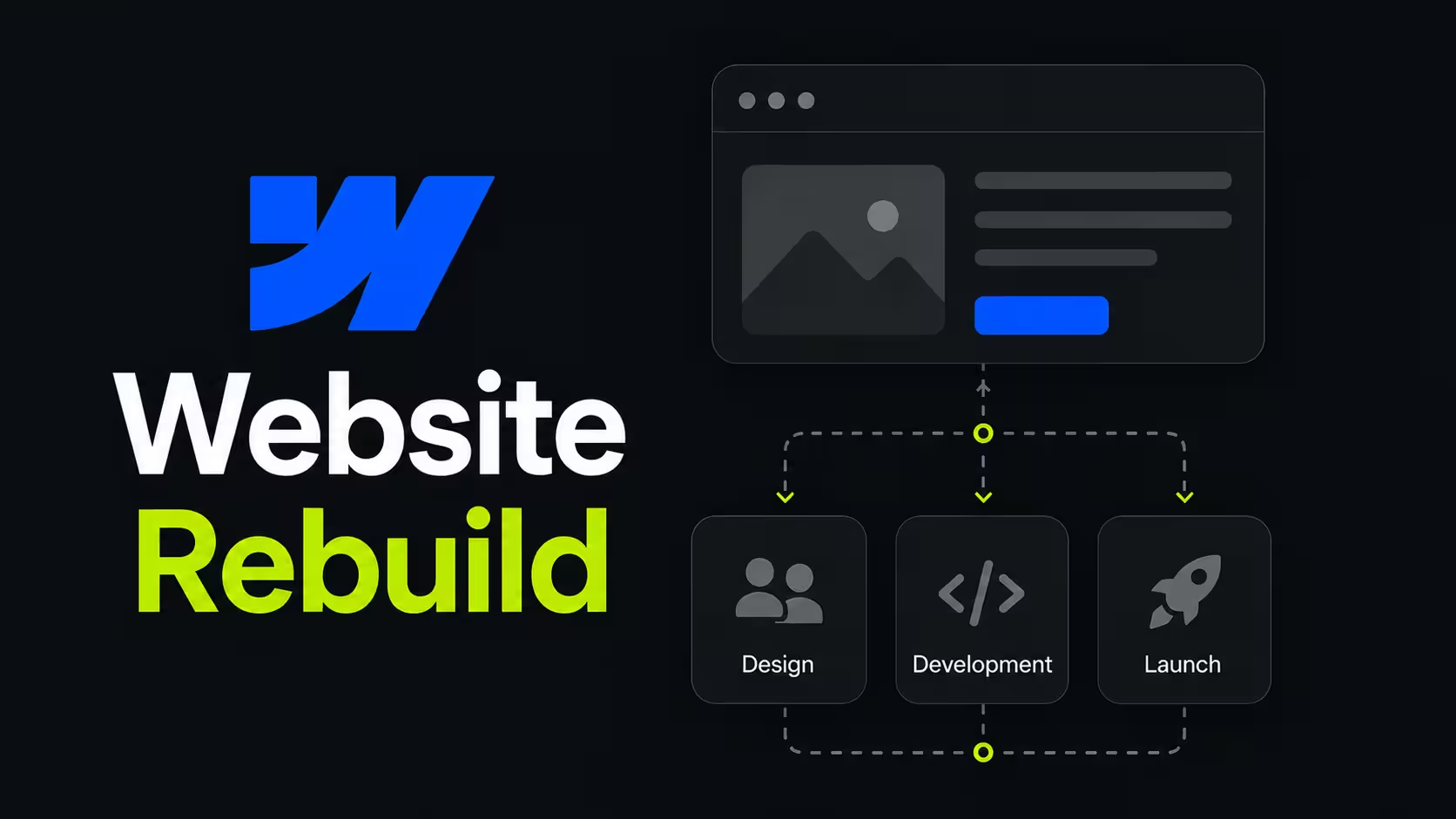
A rebuild keeps your existing design, content, and structure, but replaces the technical foundation underneath it: clean components, a structured CMS, and solid performance.
Our own opinion, based on dozens of these projects: most companies reach for a redesign when what they actually need is a rebuild. If your design still resonates with your audience and your messaging still converts, changing the visuals will not fix a slow, fragile CMS - it will just give the same technical debt a new coat of paint.
Sign 1: Simple Changes Take Hours, Not Minutes
This is the single clearest signal. In a properly structured Webflow site, changing a headline, swapping an image, or duplicating a section should take minutes, without anyone worrying about breaking another page. When that same task takes a developer 30-60 minutes because a change in one section unexpectedly affects three others, the site’s component architecture has already failed.
Webflow’s 2026 State of the Website Report found that 92% of surveyed organizations report that website update requests are growing in size and complexity, while only 28% of organizations consistently deliver web projects both on time and within budget. That gap between what the business is asking for and what the technical foundation can support is exactly the symptom of a site that has outgrown its original build.
Sign 2: Class Bloat and Unused CSS Are Piling Up
Webflow’s visual editor makes it easy to create a new class instead of reusing an existing one. Over time, that convenience can lead to class spread, inconsistent naming, conflicting styles, and a stylesheet that becomes increasingly difficult to maintain.
Class bloat is rarely caused by one bad decision. It usually accumulates gradually as developers, freelancers, and in-house marketers add “just one more class” instead of reusing or restructuring what already exists. Left unchecked, the result is a site that may still look polished but becomes slower and riskier to edit.
The business impact becomes more serious as the website grows. Bloomwell came to Designbase with a heavily patched custom CMS that prevented the team from making even basic updates. Rather than continuing to add workarounds to an unsuitable foundation, we rebuilt the site in Webflow with 123 modular components and automated the company’s 850+ product catalogue through a self-updating sync.
Without that rebuild, Bloomwell would have remained dependent on a fragile CMS and manual product updates as its catalogue continued to grow. The new system gave the team a foundation they could extend, rearrange, and scale, while saving an estimated 100+ hours of manual work each year.
The lesson is pretty simple: class bloat is not just a Designer cleanup issue. It’s an early warning that the wider website system may no longer support the way the business operates.
Sign 3: Page Speed Keeps Dropping Despite "Fixes"
If your team has already compressed images, removed unused scripts, or made other isolated improvements but page speed continues to decline, the problem is probably systemic rather than tied to one asset.
As a Webflow site grows, additional integrations, custom code, animations, fonts, media, and third-party scripts can gradually increase page weight and slow down rendering. Each addition may seem harmless on its own, but together they can create a noticeably slower experience, especially on mobile devices.
Webflow identifies large or improperly sized images, render-blocking JavaScript, and third-party scripts as common contributors to slower site performance. Its guidance recommends optimizing image assets, limiting unnecessary scripts, and loading non-critical code asynchronously or only where it’s needed.
This is why repeated speed fixes often fail to solve the underlying problem. If performance issues are spread across the site’s assets, code, interactions, and page structure, the solution is not another isolated adjustment. It may require a broader technical review or rebuild that addresses how the system has been assembled as a whole.
Sign 4: Only One Person Knows How the Site Works
This is a governance problem disguised as a technical one. When a single developer (usually the original freelancer) is the only person who can safely make changes without breaking something, the business has an operational single point of failure, not a website.
Webflow’s research backs this up at scale: 91% of technical leaders report friction between technical and non-technical teams during site changes, and 92% believe the relationship between marketing and engineering needs to improve.
In our experience, this is often the moment a company actually calls an agency - not because the site looks bad but because the person who built it left, got too busy, or started charging by the hour for changes that should take minutes.
Sign 5: The CMS Doesn’t Match How the Business Works
A Webflow CMS built for 20 products or 5 case studies rarely survives contact with a business that has grown to 200 products or 40 case studies. Common warning signs include duplicated collections, hard-coded content that should be dynamic, inconsistent fields across similar content types, and templates that break when content no longer fits the original assumptions.
The problem becomes especially clear when marketing teams cannot create or adapt pages without developer involvement. Crewmeister was running a multi-figure paid acquisition programme through a website with no CMS, which meant every landing page change, headline test, and campaign adaptation required a developer. The marketing team had no autonomy, and the cost of that dependency compounded with every campaign cycle.
Designbase rebuilt the site with 47 modular Webflow components, each with configurable content, multiple themes, and flexible layouts. The new system allowed the team to assemble and test landing pages independently, without writing code for routine campaign work. The project reported a 50% conversion rate increase within six months alongside €1.4M in advertising spend.
Sign 6: Technical Debt Is Now a Budget Problem, Not Just an Annoyance
It’s worth being completely blunt here: technical debt is expensive, and the data confirms it’s getting worse, not better. Organizations running custom-built websites exceed their budget 60% of the time and exceed their timeline 66% of the time, according to Webflow’s 2026 research - figures that are notably higher than the already-concerning 53% average for website projects generally. Only 28% of organizations ship web projects on time and on budget at all.
Our own opinion: this is why we quote rebuilds with a fixed, transparent price derived from an actual crawl of the site - counting real pages, real templates, and real CMS complexity - rather than an open-ended hourly estimate. When the underlying problem is unpredictable technical debt, an open-ended engagement just transfers that unpredictability onto the client’s budget.
How This Plays Out in Real Projects
Case studies are useful here because they show what “before” actually looked like in practice, not just in theory.
- Bloomwell: replaced a patched custom CMS with a 123-component Webflow system and automated a catalog of 850+ products, saving 100+ hours of manual work annually.
- Crewmeister: rebuilt on a 47-component modular system with configurable content and light/dark themes, contributing to a 50% conversion rate increase over six months alongside €1.4M in ad spend.
- Paybyrd: rebuilt on a 196-component stackable system using the Lumos Framework with custom GSAP animation, delivered in six weeks to reach fintech-grade visual quality.
- talque: an 88-page rebuild across two languages with 65+ custom illustrations, matching the visual bar set by a product with a 4.6-star rating.
Each of these started from a site that could no longer keep pace with the business - not a bad design, but a technical foundation that had run out of runway.
What a Rebuild Actually Involves
At Designbase, a technical rebuild runs through four phases:
- Audit and scope phase where we crawl the site, count pages and templates, and map the CMS to produce a fixed price from real numbers.
- Core rebuild phase where pages are rebuilt on a clean component system while the live site stays untouched.
- Details, QA, and SEO phase where everything is tested twice.
- Go-live and handover phase with ranking monitoring and team training on the new foundation.
Pricing starts at €10,000, with most projects landing between €12,000 and €22,000, delivered in four to six weeks - a design and content-preserving process rather than a full redesign.
A Practical Rebuild Decision Model
A rebuild should not be approved because a website feels old. It should be approved when the cost of keeping the current system exceeds the cost and risk of replacing its foundation. The most useful way to make that decision is to measure the friction across four areas: publishing time, technical quality, operating dependency, and commercial risk.
The Four-Factor Scorecard
Score each category from 0 to 3:
A score of 0-3 usually points to maintenance or targeted cleanup. A score of 4-7 suggests an audit and a possible partial rebuild. A score of 8-12 is a strong rebuild case, particularly if the highest scores are publishing friction and business dependency rather than purely visual issues.
This is not a scientific benchmark or a substitute for a crawl. It’s our internal way of turning a vague conversation into a decision that a marketing leader, founder, and finance stakeholder can evaluate together.
Add the Cost of Delay
The financial case becomes clearer when you estimate the cost of one blocked campaign cycle. Use this simple calculation:
monthly campaign opportunities × hours lost per opportunity × blended hourly cost
For example, if a B2B SaaS team launches 4 meaningful campaigns per month, loses 6 hours per campaign to Webflow dependency, and values the combined marketing and developer time at $100 per hour, the direct operational cost is:
4 × 6 × $100 = $2,400 per month
That excludes the opportunity cost of launching late, missing a paid acquisition window, delaying an A/B test, or sending traffic to a page that doesn’t match the current sales narrative.
At $2,400 per month, a $12,000 rebuild represents five months of direct time savings before considering conversion or pipeline impact. But just to make sure, this is an illustrative model, not a guaranteed return.
Raw Data Worth Benchmarking
A rebuild decision is stronger when it starts with a before-and-after baseline. We recommend capturing the following numbers before any work begins:
- Total indexable URLs and total pages in the CMS.
- Number of CMS collections, collection templates, and manually duplicated page sections.
- Number of unused classes, obsolete interactions, and legacy custom-code embeds.
- Page weight and JavaScript payload for the homepage and top conversion pages.
- Largest Contentful Paint, Interaction to Next Paint, and Cumulative Layout Shift on mobile and desktop.
- Median time required to publish a new landing page or update a key page.
- Number of people who can safely make structural changes.
- Organic sessions, conversions, and rankings for the top 20 revenue-relevant URLs.
HTTP Archive’s 2025 Web Almanac gives a useful external performance reference point: the median mobile homepage weighed 2.56MB, while the median desktop homepage weighed 2.86MB. Images represented 911KB on mobile and 1,058KB on desktop, and JavaScript represented 632KB on mobile and 697KB on desktop. The same dataset found that 70% of desktop homepages below 1MB passed the Core Web Vitals assessment, compared with 38% of pages at 5MB or more.
The important qualification is that page weight alone doesn’t prove that a rebuild is needed. A page can be heavy because of purposeful video, product visualisations, or analytics requirements. The decision becomes meaningful when heavy assets are combined with duplicated structure, slow editing, and no clear ownership.
Suggested Benchmark Table
The target column should be agreed during discovery rather than copied blindly. A complex B2B site, multilingual platform, or product-led website may legitimately require more scripts and templates than a small portfolio site.
Webflow Market Context
W3Techs reported in August 2026 that Webflow was used by 1.2% of websites whose content management system it could identify, equivalent to 0.8% of all websites in its dataset. Among the top one million websites, Webflow’s share was reported at 1.6% in a 2026 W3Techs comparison.

These figures do not prove that Webflow is faster, better, or automatically more maintainable than every alternative. They do show, though, that Webflow is a meaningful platform with a large enough ecosystem that a well-structured project can be handed to expert talent rather than remaining dependent on its original builder. That distinction matters for established companies planning a three to five-year website lifecycle.
Our position is simple: platform choice is secondary to system quality. A badly structured Webflow site can absolutely become technical debt. A disciplined rebuild should therefore create a documented component architecture, predictable naming conventions, reusable sections, clear CMS ownership, and a handover process that reduces the original agency’s role over time.
What We Measure During Discovery
A credible rebuild recommendation should come from evidence rather than a sales preference. Before proposing a scope, we normally inspect:
Structure
- How many pages use one-off sections instead of reusable components.
- Whether classes follow a coherent framework or have grown organically.
- Where combo classes and overrides create unexpected side effects.
- Whether responsive rules behave consistently across major templates.
CMS
- Whether content editors can add new items without changing layout logic.
- Whether similar content types are split across duplicate collections.
- Whether SEO fields, slugs, images, references, and taxonomies are consistently modeled.
- Whether the current structure can support planned content growth.
Integrations
- Forms, CRM routing, analytics, consent management, chat, custom APIs, etc.
- Which scripts load globally and which are needed only on individual pages.
- Whether custom code is documented, tested, and still necessary.
- Whether the site has a safe fallback if a third-party service changes.
SEO and Analytics
- Current rankings and organic conversions for commercial URLs.
- Redirects, canonicals, sitemap behavior, indexability, and structured data.
- Metadata quality across static and CMS-driven pages.
- Whether analytics and CRM events still reflect the current funnel.
A rebuild is successful only if these measurements improve without sacrificing rankings, conversion paths, or editorial control.
Rebuild or Refactor?
Not every problematic site needs to be rebuilt from zero. A refactor can be appropriate when the core architecture is sound, the CMS matches the business, and the problems are concentrated in a small number of templates or classes. Refactoring might involve removing unused styles, consolidating components, replacing a few scripts, and documenting the existing system.
A technical rebuild is usually more appropriate when the problems are interconnected: the CMS is wrong, pages are duplicated, classes are inconsistent, performance is poor, and the marketing team cannot safely edit the site. Fixing one layer without addressing the others often creates new inconsistencies.
Our rule of thumb is that a refactor should leave the team with a system they can confidently extend. If the proposed cleanup still requires future developers to reverse-engineer the original build, it’s probably not enough.
Designbase Rebuild Examples
Bloomwell: Automation as Part of the Rebuild
Bloomwell didn’t only need a new visual layer. The company had a patched custom CMS and more than 850 products whose availability and product data needed regular updates. Designbase rebuilt the site with 123 reusable components and connected the product feed through n8n, creating a self-updating system that saves an estimated 100+ hours of manual work per year.
Crewmeister: Reducing Dependency Under Paid Acquisition Pressure
Crewmeister was running a multi-figure paid acquisition program through a website with no CMS. Every landing-page change and headline test required a developer, which meant the cost of dependency was directly connected to campaign spend. Designbase created 47 modular conversion-focused components, enabled phased rollout, and set up A/B testing with Webflow Optimize.
The project delivered a reported 50% conversion rate uplift within six months and took 10 weeks for strategy, design, development, testing, and enablement. The case doesn’t mean every rebuild produces a 50% uplift, but it demonstrates why the rebuild brief should include the operating model and testing workflow, not just the technology.
talque: Complexity Is Not an Excuse for a Fragile System
talque's relaunch involved 88 pages in two languages and 65+ custom illustrations. Multilingual and content-heavy websites often expose weak systems because every inconsistency gets multiplied across templates and languages.
For DACH companies, for example, this is particularly interesting: a rebuild should anticipate regional content, localized metadata, different page lengths, and future editorial ownership rather than treating German as an afterthought added after the English site is finished.
Five-Minute Self-Audit
Answer these questions honestly:
- Can a marketing manager publish a standard landing page without a developer?
- Can a second Webflow specialist understand the class system in less than a day?
- Can the team identify which CMS collection owns every repeatable content type?
- Can you explain which custom scripts are essential and who maintains them?
- Can you compare this month’s Core Web Vitals and organic conversions with a baseline?
- Can the team launch a campaign without asking whether an unrelated page will break?
- Can the company replace the original builder without losing operational knowledge?
If the answer is “no” to one question, investigate it. If the answer is “no” to four or more, the site is probably carrying structural debt that deserves a formal audit.
FAQs
Your site may need a rebuild if routine updates take too long, the CMS no longer matches your content, performance keeps declining, or only one person can safely maintain it. Several of these signs appearing together usually indicate a structural problem rather than an isolated issue.
Patching can provide short-term relief, but each workaround may add more duplicated styles, custom code, and maintenance risk. Over time, campaign launches slow down, developer dependency increases, and the cost of routine changes can exceed the cost of rebuilding the foundation.
Yes. A rebuild can introduce reusable components, a scalable CMS structure, clearer content relationships, and integrations that support a growing number of pages, products, case studies, or campaigns. The goal is to make future growth easier to manage rather than forcing the team to rebuild again.
No, it shouldn’t when the project includes a URL inventory, redirect mapping, metadata checks, internal link review, and post-launch monitoring. We always follow best practices like mapping old URLs to new destinations and using 301 redirects to help preserve SEO value when URLs change.
Designbase rebuilds start at €10,000, typically cost between €12,000 and €22,000, and take four to six weeks. The final scope depends on the number of pages, CMS complexity, integrations, multilingual requirements, SEO risk, and custom interaction work.